Misconfigured IAM Roles: Response and Recovery Steps
Most teams worsen IAM breaches by disabling logging during containment, creating a permanent blind spot that prevents forensic reconstruction of the attacker’s path.

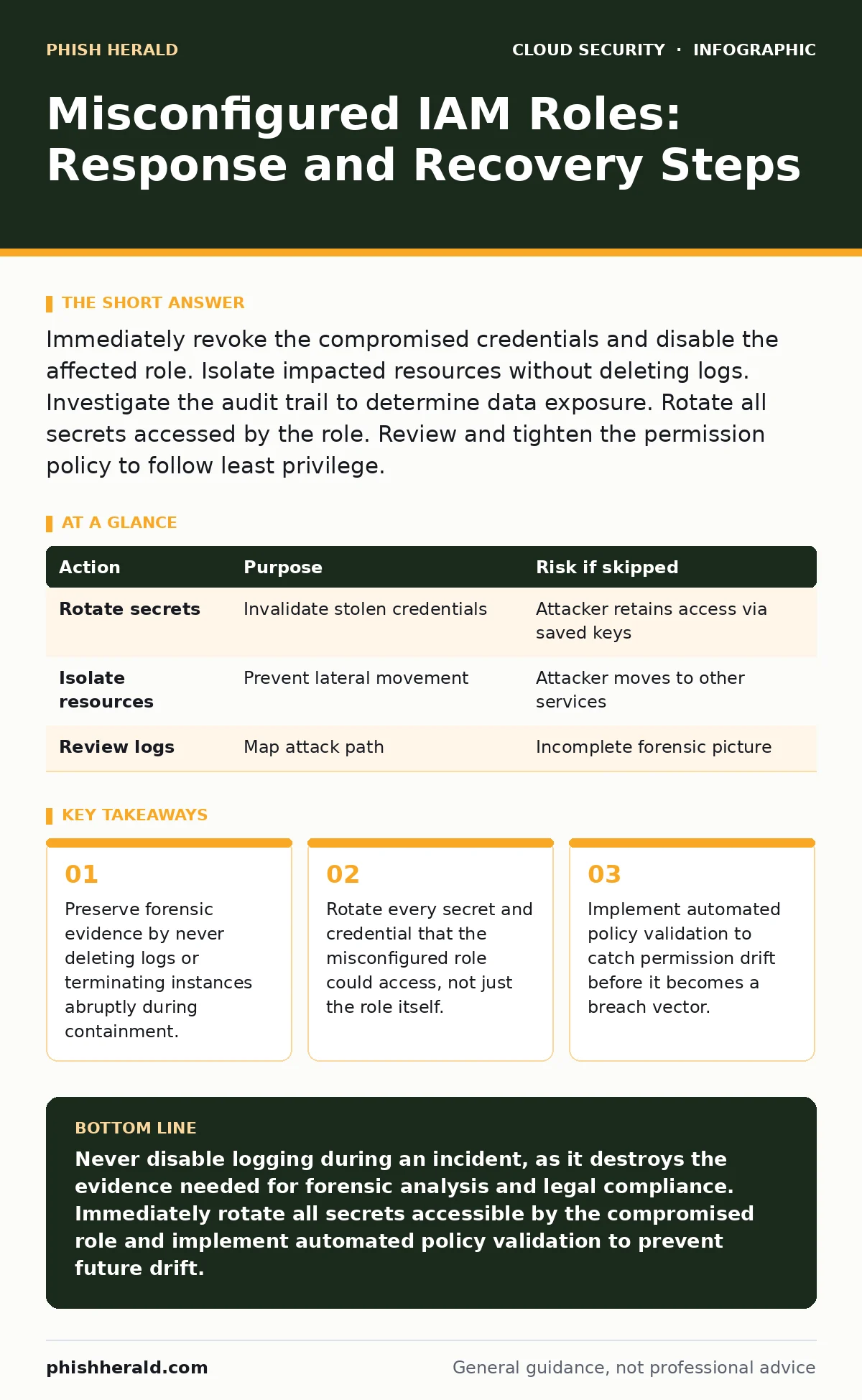
Immediately revoke the compromised credentials and disable the affected role. Isolate impacted resources without deleting logs. Investigate the audit trail to determine data exposure. Rotate all secrets accessed by the role. Review and tighten the permission policy to follow least privilege.
First hour
The clock starts when you detect the anomaly. Your primary goal is not to fix the configuration yet, but to stop the bleeding. Identify the specific Identity and Access Management (IAM) role that is exhibiting abnormal behaviour. This role is the entity that applications or users assume to perform actions in the cloud.
Check if the role has been assumed by an unknown principal. Look for assume-role events from IP addresses or user agents you do not recognise. If the role has administrative privileges, treat this as a critical incident. Assume the attacker has already moved laterally.
- Identify the compromised IAM role and its attached policies.
- Check for active sessions and terminate them immediately.
- Disable the role to prevent new assumption requests.
- Preserve all log data from the past 24 hours.
- Notify the incident response team lead.
First day
Once the immediate threat is halted, you must contain the blast radius. A misconfigured role often has access to more resources than necessary. You need to determine exactly which resources the attacker touched. This requires a careful review of the API call logs.
Do not restore the role to its previous state. The previous state was broken. Instead, create a temporary, restricted role for any critical services that need to run. This allows business continuity while you investigate. You must also rotate any secrets that the compromised role could read. This includes database passwords, API keys, and private keys.
Imagine a scenario where a development role was granted read access to a production database. The attacker used this role to export customer records. Even if you disable the role, the data is already gone. You must assess the impact of that exfiltration. Check for data exports to external storage buckets or unknown IP addresses.
| Action | Purpose | Risk if skipped |
|---|---|---|
| Rotate secrets | Invalidate stolen credentials | Attacker retains access via saved keys |
| Isolate resources | Prevent lateral movement | Attacker moves to other services |
| Review logs | Map attack path | Incomplete forensic picture |
First week
Recovery involves rebuilding trust in your identity infrastructure. You must rewrite the permission policies for the affected role. Apply the principle of least privilege. This means granting only the permissions required to perform a specific task, nothing more. Use explicit deny statements for high-risk actions if supported by your platform.
You should also review related configurations. A misconfigured role often exists alongside insecure cloud APIs or Kubernetes misconfigurations. These weaknesses compound each other. If your workloads run in containers, check for container escape vulnerabilities that could allow an attacker to leverage the host’s IAM role.
Consider implementing just-in-time access for privileged roles. This mechanism grants temporary access only when needed, rather than keeping permissions active indefinitely. It reduces the window of opportunity for attackers. This approach adds operational complexity but significantly lowers risk.
Who to tell
Communication is a technical task. You must inform stakeholders with precise information. Vague updates cause panic and slow down decision-making. Tell your legal team if personal data was accessed. They need to assess regulatory notification requirements.
Inform your security operations centre (SOC) about the specific indicators of compromise. This includes the IP addresses, user agents, and API calls associated with the breach. This helps them detect similar patterns in the future. Do not share raw log data with non-technical staff.
Coordinate with your cloud provider’s support team if the breach involves a platform-level vulnerability. They may have additional forensic tools or insights. Keep a single point of contact for external communications to prevent contradictory messages.
How to stop a repeat
Prevention requires changing how you manage permissions. Stop using static, long-lived credentials. Move to short-lived tokens that expire quickly. This limits the damage if a credential is stolen.
Implement identity sprawl controls. As organisations grow, roles multiply and permissions drift. Regularly audit your IAM policies. Remove roles that are no longer used. Merge similar roles to reduce complexity.
Integrate security checks into your deployment pipeline. Use cloud-native application protection platforms (CNAPP) to scan for misconfigurations before they reach production. This shifts security left, catching errors earlier.
See also: Stop Exposed Storage Buckets: 3 Cloud Security Fixes That Work · Cloud Data Exfiltration: 6 Myths That Leave Your Assets Vulnerable
The hidden cost of panic
In the heat of an incident, teams often make decisions that hinder recovery. The most common mistake is deleting resources to "clean up" the mess. This destroys forensic evidence. You need those logs to understand the scope of the breach.
Another hidden cost is the failure to update documentation. If your runbooks do not reflect the new security controls, the next incident will follow the same path. Update your incident response plan immediately. Include steps for IAM-specific incidents.
Long-term resilience
Security is not a one-time fix. It is a continuous process. You must monitor for permission changes in real-time. Alert on any modification to IAM policies. This helps you detect insider threats and compromised accounts.
Adopt a zero-trust architecture. Verify every request, regardless of its origin. Do not trust internal networks implicitly. This reduces the impact of a compromised IAM role.
Review your encryption strategy. Ensure that sensitive data is encrypted at rest and in transit. Use bring your own key encryption to maintain control over your cryptographic keys. This adds a layer of protection even if an attacker gains access to the data.
Key takeaways
- Preserve forensic evidence by never deleting logs or terminating instances abruptly during containment.
- Rotate every secret and credential that the misconfigured role could access, not just the role itself.
- Implement automated policy validation to catch permission drift before it becomes a breach vector.
Never disable logging during an incident, as it destroys the evidence needed for forensic analysis and legal compliance. Immediately rotate all secrets accessible by the compromised role and implement automated policy validation to prevent future drift.
Frequently asked questions
How do I know if an IAM role has been compromised?
Look for assume-role events from unusual IP addresses, user agents, or times. Check for API calls that the role’s normal workload does not perform.
Should I delete the compromised IAM role immediately?
No. Disable it to stop new access, but keep it for forensic analysis. Deleting it may remove associated metadata needed for investigation.
What is the principle of least privilege?
It is the practice of granting only the minimum permissions required to perform a specific task. This limits the damage if a role is compromised.
How often should I audit IAM policies?
Audit policies continuously using automated tools. Manual audits should be performed at least quarterly or after any significant infrastructure change.
How this guide was produced: written by the Phish Herald editorial team with AI assistance, checked against the public references listed below, and reviewed when the facts change. See our editorial policy or report an error.