Cloud Data Exfiltration: 6 Myths That Leave Your Assets Vulnerable
Most cloud data theft occurs through legitimate user accounts and standard API calls, bypassing traditional perimeter defences entirely.
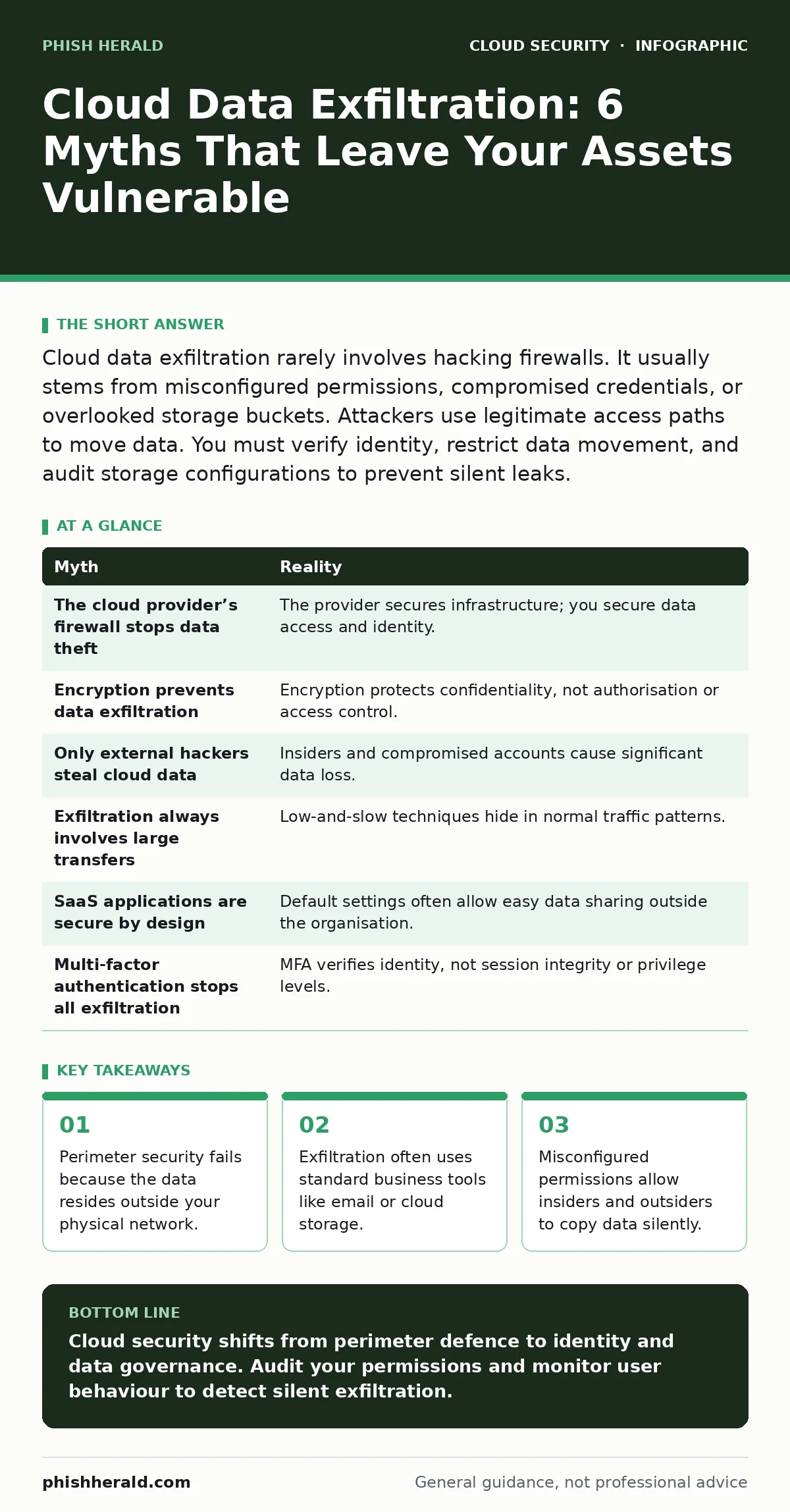
Cloud data exfiltration rarely involves hacking firewalls. It usually stems from misconfigured permissions, compromised credentials, or overlooked storage buckets. Attackers use legitimate access paths to move data. You must verify identity, restrict data movement, and audit storage configurations to prevent silent leaks.
Myth: The Cloud Provider’s Firewall Stops Data Theft
Reality: The cloud provider secures the infrastructure, not your data access. You share responsibility for configuring who can read, write, or delete your files. The provider’s firewall blocks external network attacks, but it does not stop an authorised user from downloading a database. If you grant an employee or a service account read access, the firewall allows that traffic because it is legitimate.
Imagine a developer who needs to debug an application. You grant them access to the production database. They copy the entire customer list to their local machine for "testing". The firewall sees this as valid application traffic. The provider has not failed; your permission model has. You must separate network security from identity security. Network controls are useless against authorised data movement.
Myth: Encryption Prevents Data Exfiltration
Reality: Encryption protects data at rest and in transit, but it does not control who decrypts it. If an attacker obtains a valid session token or API key, they can decrypt the data as they stream it out. The encryption layer is transparent to the authorised request. The data arrives at the attacker’s endpoint in plain text. Encryption stops unauthorised interception, not unauthorised access.
Suppose you store sensitive files in an encrypted cloud bucket. You use strong keys managed by a key management service. An attacker compromises a user account with read permissions. That user requests the file. The cloud service decrypts it on the fly and sends it to the user. The data is now exfiltrated. You must focus on identity sprawl and least privilege in the cloud. Encryption is a shield, not a gatekeeper.
Myth: Only External Hackers Steal Cloud Data
Reality: Internal threats account for a significant portion of data loss. Employees with legitimate access can copy data intentionally or accidentally. A disgruntled staff member might download files before leaving. A careless worker might upload sensitive data to a personal cloud drive. These actions look like normal business activity to security tools. External hackers often mimic this behaviour by using stolen credentials.
Imagine a marketing manager who leaves the company. They retain access to the shared drive for two weeks while offboarding. They download three years of campaign data. No firewall alert triggers. No intrusion detection system fires. The action was authorised. You must monitor user behaviour for anomalies, not just block external IPs. Insider risk requires different controls than external threat mitigation.
Myth: Data Exfiltration Always Involves Large Transfers
Reality: Attackers often exfiltrate data in small, frequent chunks to avoid detection. This technique, known as low-and-slow exfiltration, blends in with normal background traffic. Sending 100 megabytes in one burst triggers alerts. Sending 1 megabyte every hour for a month does not. Most data loss prevention tools focus on volume thresholds. They miss patterns that stay below the noise floor.
Suppose an attacker gains access to a financial database. They download one invoice record every ten minutes. Over a month, they collect thousands of records. The average daily transfer looks like normal administrative activity. You must analyse behavioural patterns, not just data volume. Look for unusual access times, new destinations, or repeated reads of sensitive fields.
Myth: SaaS Applications Are Secure by Design
Reality: SaaS applications often lack granular data controls. Users can easily share files with external domains via email or links. The application vendor secures the platform, but you control the data sharing policies. If you do not configure these policies, users can exfiltrate data with a single click. The vendor’s security posture does not reflect your configuration.
Imagine a sales team using a customer relationship management platform. They forward client contacts to personal email addresses. The platform allows this by default. You must implement SaaS security posture management to enforce sharing restrictions. Check for exposed storage buckets within your SaaS tenants. Ensure that data cannot leave the organisation without explicit approval.
See also: Stop Exposed Storage Buckets: 3 Cloud Security Fixes That Work · Cloud Least Privilege: Answers to 8 Critical Implementation Questions
Myth: Multi-Factor Authentication Stops All Exfiltration
Reality: Multi-factor authentication verifies identity, but it does not limit what that identity can do. If an attacker steals a password and bypasses the second factor, or if they compromise an already authenticated session, MFA provides no further protection. Session hijacking allows attackers to use valid tokens. MFA is a door lock, not a security guard inside the room.
Suppose an attacker uses a phishing site to capture a user’s credentials and session cookie. They bypass MFA by using the stolen cookie. They now have full access to the user’s cloud environment. They can download data until the session expires. You must combine MFA with continuous authentication and anomaly detection. Monitor for impossible travel or unusual device fingerprints.
| Myth | Reality |
|---|---|
| The cloud provider’s firewall stops data theft | The provider secures infrastructure; you secure data access and identity. |
| Encryption prevents data exfiltration | Encryption protects confidentiality, not authorisation or access control. |
| Only external hackers steal cloud data | Insiders and compromised accounts cause significant data loss. |
| Exfiltration always involves large transfers | Low-and-slow techniques hide in normal traffic patterns. |
| SaaS applications are secure by design | Default settings often allow easy data sharing outside the organisation. |
| Multi-factor authentication stops all exfiltration | MFA verifies identity, not session integrity or privilege levels. |
Key takeaways
- Perimeter security fails because the data resides outside your physical network.
- Exfiltration often uses standard business tools like email or cloud storage.
- Misconfigured permissions allow insiders and outsiders to copy data silently.
Cloud security shifts from perimeter defence to identity and data governance. Audit your permissions and monitor user behaviour to detect silent exfiltration.
Frequently asked questions
How do I detect low-and-slow data exfiltration?
Use user and entity behaviour analytics to identify anomalies in access patterns, volume, and destination, rather than relying on static thresholds.
Does zero trust architecture prevent cloud data exfiltration?
Zero trust reduces risk by verifying every request, but it must be combined with strict least privilege in the cloud and continuous monitoring to be effective.
What is the biggest risk in SaaS data exfiltration?
Unrestricted sharing features and misconfigured IAM roles allow users to export data to unauthorised external locations without triggering alerts.
How often should I review cloud permissions?
Review permissions continuously or after every significant change. Static quarterly reviews are too slow for dynamic cloud environments.
How this guide was produced: written by the Phish Herald editorial team with AI assistance, checked against the public references listed below, and reviewed when the facts change. See our editorial policy or report an error.