Prevent Container Escape: Stop Breakouts Before They Spread
Most container escapes occur not because of code flaws, but because the host kernel grants excessive privileges to a compromised process.

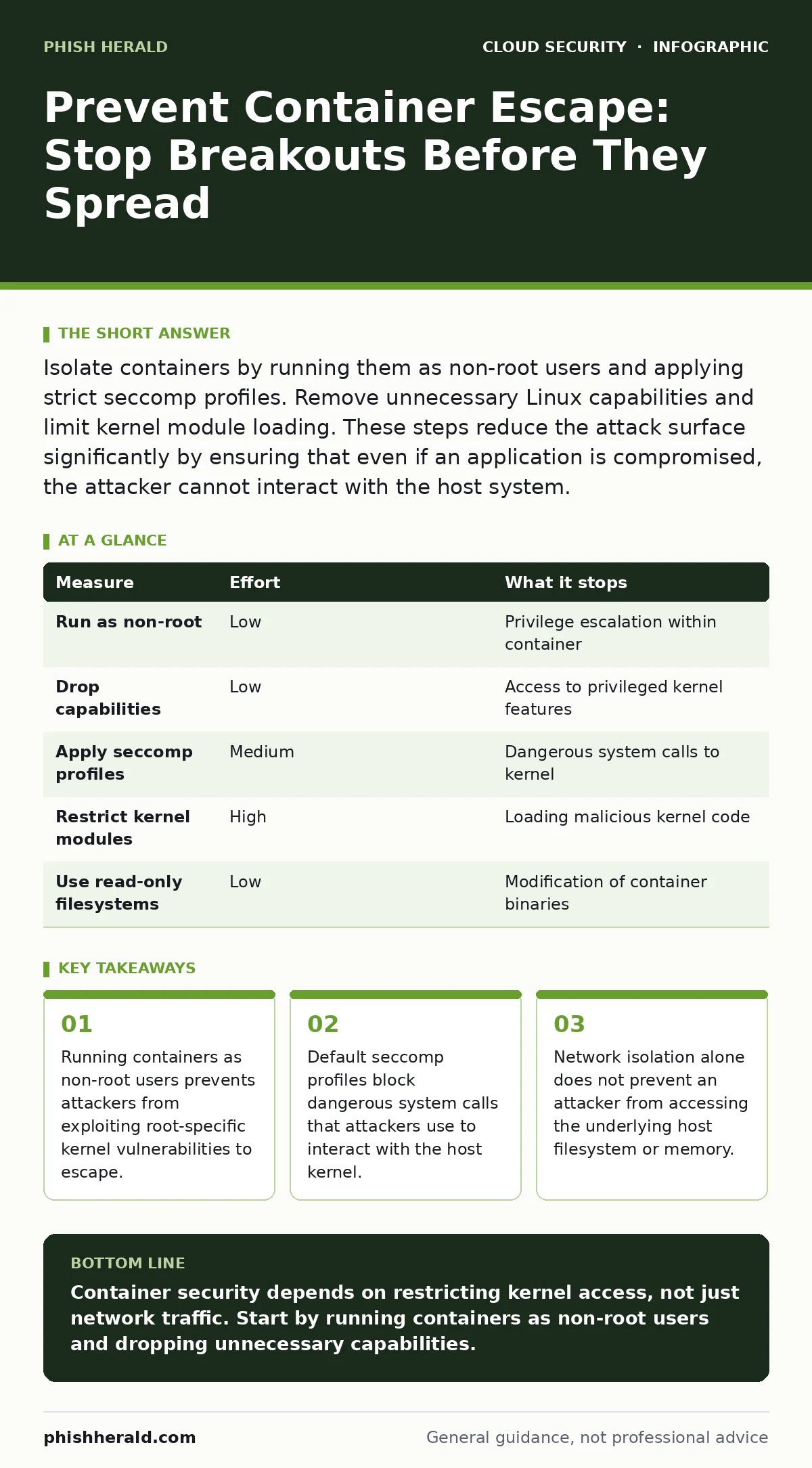
Isolate containers by running them as non-root users and applying strict seccomp profiles. Remove unnecessary Linux capabilities and limit kernel module loading. These steps reduce the attack surface significantly by ensuring that even if an application is compromised, the attacker cannot interact with the host system.
The Reality of Container Isolation
Containers are not virtual machines. They share the host operating system kernel. This design choice offers speed and density, but it introduces a fundamental risk. If a process inside a container gains control of the kernel, it owns the host. This event is known as a container escape.
You might assume that keeping applications separated is enough. It is not. The boundary between container and host is thin. It relies on kernel features to enforce limits. If those features are misconfigured or bypassed, the boundary disappears.
Attackers do not need to break into the kernel from the outside. They only need to find a vulnerability in a library or application running inside the container. Once they have code execution there, they look for ways to step up to the host. Your defences must make that step difficult or impossible.
Why Network Rules Fail to Stop Escapes
Many teams focus on network segmentation. They build complex firewall rules between containers. This is a common mistake. Network rules control traffic flow. They do not control process privileges.
Imagine a scenario where an attacker compromises a web server container. They can now read the container’s filesystem. If the container has access to the host’s Docker socket or has mounted the host root filesystem, the attacker is already out. Network rules cannot stop this. They only prevent the attacker from talking to other services once they are on the host.
Security must start at the process level. You must limit what the process can do, not just where it can send data. Relying on network controls for container security is like locking the front door while leaving the windows wide open. The intruder is already inside the house.
The Power of Non-Root Execution
The most effective single change you can make is to run containers as non-root users. By default, many container images start the main process as root. This gives the process all the privileges of the container’s user space.
If an attacker exploits a vulnerability in that process, they inherit root privileges. From there, they can modify system files, install backdoors, or attempt to exploit kernel vulnerabilities. Running as a non-root user restricts what the attacker can do. They cannot modify protected system directories. They cannot bind to privileged ports.
This does not mean every application must run as a unique user. You can use a shared, unprivileged user ID. The key is that the ID has no special privileges. This simple change removes the ability to escalate to host root, even if the container is compromised.
Limiting Linux Capabilities
Linux capabilities split the privileges of the root user into distinct units. By default, containers often retain many of these capabilities. This is unnecessary for most applications.
You should drop all capabilities and add only what is strictly required. For a web server, you might need the ability to bind to ports below 1024. You do not need the ability to mount filesystems or manage network devices. The CAP_SYS_ADMIN capability is particularly dangerous. It grants near-root access to the kernel. Removing it significantly reduces the risk of escape.
Review the capabilities your applications need. Document them. Enforce them through your deployment policies. This aligns with best practices for managing Kubernetes misconfigurations, where overly permissive default settings are a common source of risk.
Applying Seccomp and AppArmor Profiles
Seccomp (Secure Computing Mode) filters system calls. It allows a process to make only specific requests to the kernel. By default, containers can make any system call. This includes calls that can be used to escape.
Apply a restrictive seccomp profile. The Docker default profile is a good starting point. It blocks known dangerous calls. You can create custom profiles for tighter control. AppArmor provides a similar function for file access. It restricts which files a process can read or write.
These profiles act as a safety net. If an attacker exploits a vulnerability, the seccomp profile may block the exploit’s attempt to interact with the kernel. This stops the escape before it completes. It is a layer of defence that operates independently of the application code.
See also: Service Mesh Security Checklist for Secure Microservices
Measuring Your Defence Posture
Not all measures are equal in effort or impact. The table below ranks common preventive measures by the risk they remove.
| Measure | Effort | What it stops |
|---|---|---|
| Run as non-root | Low | Privilege escalation within container |
| Drop capabilities | Low | Access to privileged kernel features |
| Apply seccomp profiles | Medium | Dangerous system calls to kernel |
| Restrict kernel modules | High | Loading malicious kernel code |
| Use read-only filesystems | Low | Modification of container binaries |
What Does Not Work
Many teams believe that scanning for vulnerabilities is sufficient. It is not. You cannot patch every vulnerability immediately. You must assume that some vulnerabilities will exist in production.
Scanning helps you find known issues. It does not stop an attacker from using them. You need runtime defences. These defences limit the damage when a vulnerability is exploited.
Another common myth is that images from trusted registries are safe. They are not. Images can contain vulnerabilities introduced by dependencies. They can be built from insecure container images that include unnecessary tools or credentials. Always treat every image as untrusted until you have applied runtime restrictions.
Immediate Actions for Today
You do not need a major overhaul to start improving security. Three actions can be implemented quickly.
First, audit your running containers. Identify which ones are running as root. Create a plan to change them to non-root users. This is the highest impact change.
Second, check your default capabilities. Most container runtimes allow you to drop all capabilities by default. Enable this setting. Then, add back only what is needed.
Third, review your seccomp profiles. Ensure that a default restrictive profile is applied to all new containers. This blocks many common exploit techniques.
- Identify containers running as root and plan migration to non-root users.
- Configure container runtime to drop all Linux capabilities by default.
- Apply default seccomp profiles to all container deployments.
Key takeaways
- Running containers as non-root users prevents attackers from exploiting root-specific kernel vulnerabilities to escape.
- Default seccomp profiles block dangerous system calls that attackers use to interact with the host kernel.
- Network isolation alone does not prevent an attacker from accessing the underlying host filesystem or memory.
Container security depends on restricting kernel access, not just network traffic. Start by running containers as non-root users and dropping unnecessary capabilities.
Frequently asked questions
Does running as non-root stop all container escapes?
No, it reduces the risk significantly by limiting privilege escalation, but attackers may still exploit vulnerabilities that do not require root access.
Can seccomp profiles impact application performance?
The overhead is negligible. The kernel simply blocks invalid calls, which adds minimal latency to process execution.
How do I know which capabilities my application needs?
Start with none. Run the application in a test environment. Add capabilities only when the application fails due to missing permissions.
Are Kubernetes admission controllers enough for security?
They are a powerful tool for enforcing policies, but they must be configured with specific, restrictive rules. Default settings often allow risky configurations.
How this guide was produced: written by the Phish Herald editorial team with AI assistance, checked against the public references listed below, and reviewed when the facts change. See our editorial policy or report an error.