VPN Appliance Vulnerabilities: 7 Mistakes That Leave You Exposed
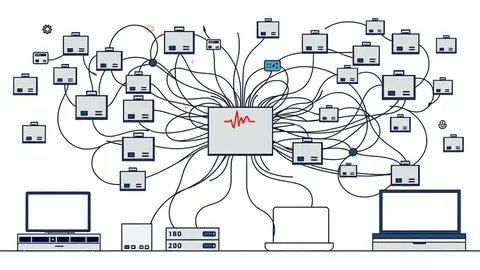
Misconfigured split tunnelling and weak certificate validation often expose internal networks far more than the appliance software itself ever could.

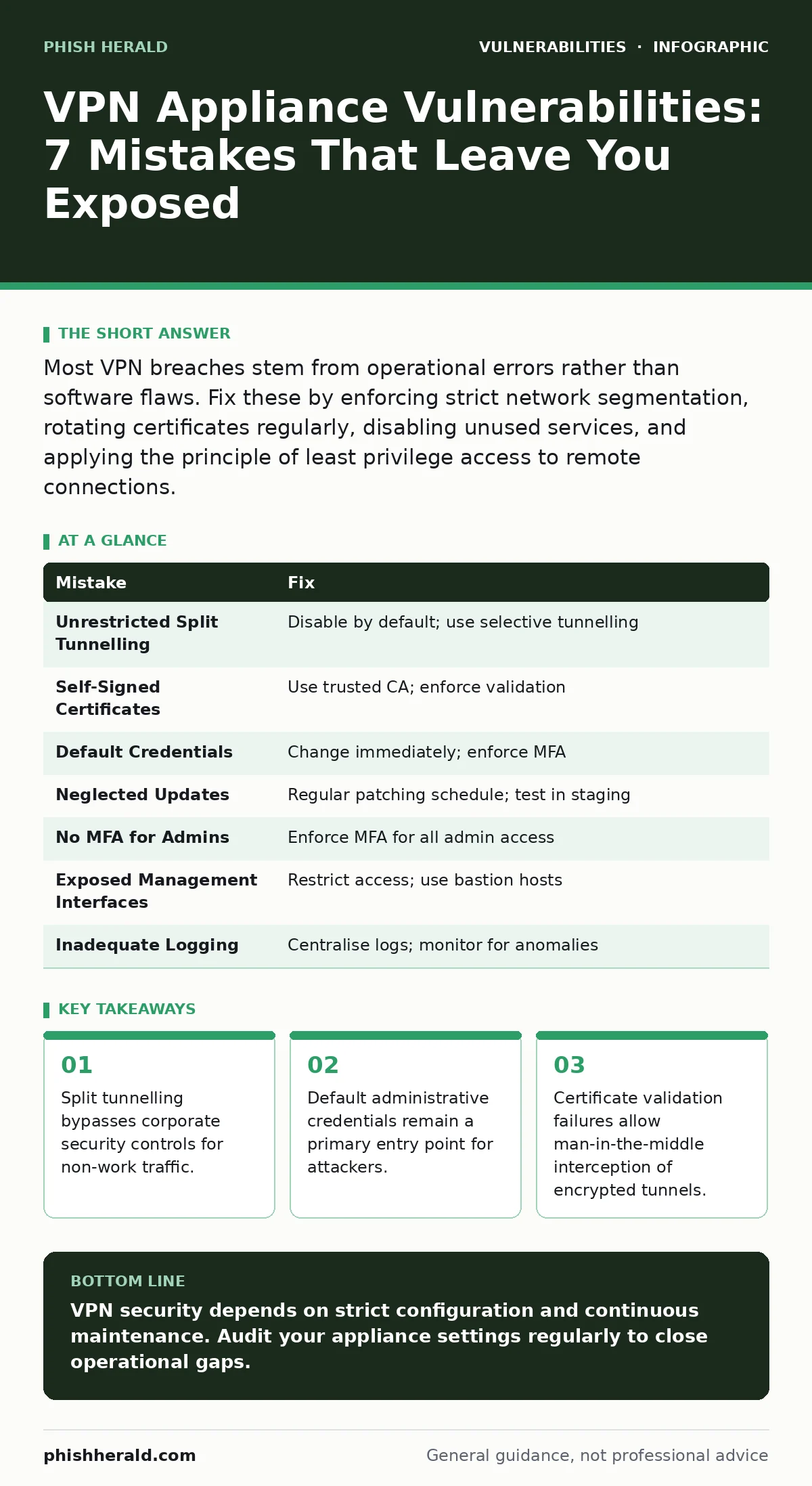
Most VPN breaches stem from operational errors rather than software flaws. Fix these by enforcing strict network segmentation, rotating certificates regularly, disabling unused services, and applying the principle of least privilege access to remote connections.
Mistake 1: Allowing Unrestricted Split Tunnelling
Split tunnelling routes only specific traffic through the virtual private network while letting other traffic exit directly to the internet. This creates a significant blind spot for security monitoring. Your organisation cannot inspect or filter traffic that bypasses the gateway. Attackers who compromise an endpoint on the user’s local network can move laterally without triggering intrusion detection systems. The tunnel remains encrypted, but the un-tunnelled traffic is visible to local threats.
Why it hurts: You lose visibility into half of your user’s network activity. Malware on the user’s device can communicate with command-and-control servers outside the VPN tunnel. This traffic avoids your firewall rules and data loss prevention policies. The appliance appears secure, but the perimeter is effectively breached at the endpoint level.
The fix: Disable split tunnelling by default. Force all user traffic through the corporate gateway. If performance is a concern, use selective tunnelling for specific, trusted applications. Ensure your network architecture can handle the increased load. This approach guarantees that all traffic passes through your security controls. It aligns with best practices for threat modeling remote access scenarios.
Mistake 2: Using Self-Signed Certificates Without Validation
Many administrators generate self-signed certificates to avoid the cost of commercial certificates. They then distribute these certificates to clients or embed them in configuration files. This practice often leads to clients accepting any certificate presented by the server. Users frequently click through security warnings to maintain connectivity. This behaviour defeats the purpose of encryption by removing identity verification.
Why it hurts: An attacker performing a man-in-the-middle attack can present a fake certificate. If the client does not strictly validate the certificate authority, the user connects to the attacker instead of your VPN appliance. The attacker can decrypt, read, and modify all traffic. The user believes they are on a secure channel, but they are exposing sensitive credentials and data.
The fix: Use certificates issued by a trusted certificate authority. Configure clients to reject connections unless the server certificate matches a specific root authority. Pin the certificate fingerprint if possible. Regularly rotate certificates before they expire. This ensures that only authorised servers can establish tunnels. It prevents impersonation attacks that rely on user complacency.
Mistake 3: Leaving Default Administrative Credentials Active
Manufacturers ship appliances with default usernames and passwords for initial setup. Administrators often change the primary admin account but forget secondary accounts or service accounts. These default credentials are publicly documented in manuals and online databases. Automated scanners continuously probe for these known combinations. A single successful login grants full control over the device configuration.
Why it hurts: Attackers gain immediate administrative access to the VPN appliance. They can modify routing tables, export user credentials, or install backdoors. This access bypasses all user-level security controls. The breach is often silent until the attacker exfiltrates data or disrupts services. It is a low-effort, high-impact entry point that persists until manually corrected.
The fix: Change all default credentials immediately upon deployment. Enforce complex password policies for administrative accounts. Implement multi-factor authentication for all management interfaces. Regularly audit user accounts to remove unused or shared credentials. Apply the principle of least privilege access to limit what each admin can do. This reduces the risk of credential theft and lateral movement.
Mistake 4: Neglecting Firmware and Software Updates
VPN appliances run complex operating systems with numerous dependencies. Vendors release patches for discovered vulnerabilities in the underlying code. Administrators often delay updates to avoid potential downtime or compatibility issues. This creates a window of exposure where known exploits can be used. The appliance becomes a target for automated attacks that patch-specific CVEs.
Why it hurts: Unpatched software contains known vulnerabilities that attackers can exploit easily. These exploits often allow remote code execution or privilege escalation. Once inside, attackers can pivot to other systems on the network. The delay in updating turns a manageable risk into a critical breach. It is a failure of basic maintenance that undermines all other security controls.
The fix: Establish a regular schedule for applying firmware updates. Test updates in a staging environment before production deployment. Subscribe to vendor security advisories to stay informed of critical patches. Automate the update process where possible to reduce human error. This discipline mirrors the care required for managing Kubernetes misconfigurations in containerised environments.
Mistake 5: Disabling Multi-Factor Authentication for Admins
Administrators often view multi-factor authentication as an inconvenience for routine tasks. They may disable it for local access or for trusted IP ranges. This assumption of trust is flawed. Attackers frequently compromise administrator credentials through phishing or credential stuffing. Without a second factor, a stolen password is sufficient for full account takeover. The administrative interface becomes a single point of failure.
Why it hurts: Credential theft becomes the only barrier to entry. Attackers do not need to exploit software vulnerabilities if they can simply log in. Administrative access allows them to disable logging, create new accounts, and alter configurations. The breach is difficult to detect because the attacker acts as a legitimate user. It bypasses all network-level security measures.
The fix: Enforce multi-factor authentication for all administrative access. Use hardware tokens or authenticator apps rather than SMS. Ensure MFA is required even for local console access. Integrate with an identity provider to centralise authentication policies. This adds a critical layer of defence against credential compromise. It is a fundamental requirement for securing remote management interfaces.
See also: Patch Prioritization Logic: How to Rank Fixes by True Risk · Hardcoded Secrets Myths: Why Common Beliefs About Source Code Risks Are Wrong
Mistake 6: Exposing Management Interfaces to the Internet
Administrators often configure VPN appliances to be manageable from anywhere. This convenience exposes the management interface to the public internet. Attackers scan the internet for open management ports and vulnerable services. A direct connection to the management interface bypasses network segmentation. It provides a direct path to the core of your infrastructure.
Why it hurts: The management interface often has higher privileges than user tunnels. It may expose additional services or debugging tools. Attackers can exploit vulnerabilities in the web interface or SSH service. Direct internet exposure increases the attack surface significantly. It allows attackers to probe and exploit the appliance without traversing other security controls.
The fix: Restrict management access to specific, trusted IP addresses. Use a bastion host or jump server for administrative tasks. Implement a separate management network that is isolated from the production network. Disable unnecessary services on the management interface. This segmentation limits the ability of attackers to reach the appliance. It reduces the risk of remote exploitation.
Mistake 7: Inadequate Logging and Monitoring
Many organisations deploy VPN appliances without configuring detailed logging. They assume the appliance’s security features are sufficient. This lack of visibility means that suspicious activity goes unnoticed. Attackers can operate within the tunnel for extended periods. Without logs, forensic analysis is impossible after a breach.
Why it hurts: You cannot detect what you do not measure. Failed login attempts, unusual connection times, or large data transfers may indicate an attack. Without logging, these signals are lost. Incident response is delayed or impossible. The organisation remains unaware of the breach until significant damage has occurred.
The fix: Enable detailed logging for all connection attempts and administrative actions. Send logs to a centralised security information and event management system. Configure alerts for anomalous behaviour. Regularly review logs for signs of compromise. This visibility is critical for early detection and response. It complements other security measures by providing evidence of activity.
| Mistake | Fix |
|---|---|
| Unrestricted Split Tunnelling | Disable by default; use selective tunnelling |
| Self-Signed Certificates | Use trusted CA; enforce validation |
| Default Credentials | Change immediately; enforce MFA |
| Neglected Updates | Regular patching schedule; test in staging |
| No MFA for Admins | Enforce MFA for all admin access |
| Exposed Management Interfaces | Restrict access; use bastion hosts |
| Inadequate Logging | Centralise logs; monitor for anomalies |
Key takeaways
- Split tunnelling bypasses corporate security controls for non-work traffic.
- Default administrative credentials remain a primary entry point for attackers.
- Certificate validation failures allow man-in-the-middle interception of encrypted tunnels.
VPN security depends on strict configuration and continuous maintenance. Audit your appliance settings regularly to close operational gaps.
Frequently asked questions
How often should I rotate VPN certificates?
Rotate certificates annually or immediately if a private key is suspected to be compromised.
Can I use split tunnelling for better performance?
Only if you use selective tunnelling for specific, trusted applications and accept the security trade-off.
What is the best way to manage VPN appliance updates?
Test updates in a staging environment before deploying to production to avoid downtime.
How do I detect a compromised VPN account?
Monitor for unusual login times, locations, or data transfer volumes using centralised logging.
How this guide was produced: written by the Phish Herald editorial team with AI assistance, checked against the public references listed below, and reviewed when the facts change. See our editorial policy or report an error.