How to implement CNAPP: a step-by-step guide for cloud security
Merging cloud security tools reduces blind spots between code and runtime, turning fragmented alerts into a single, actionable view of risk.

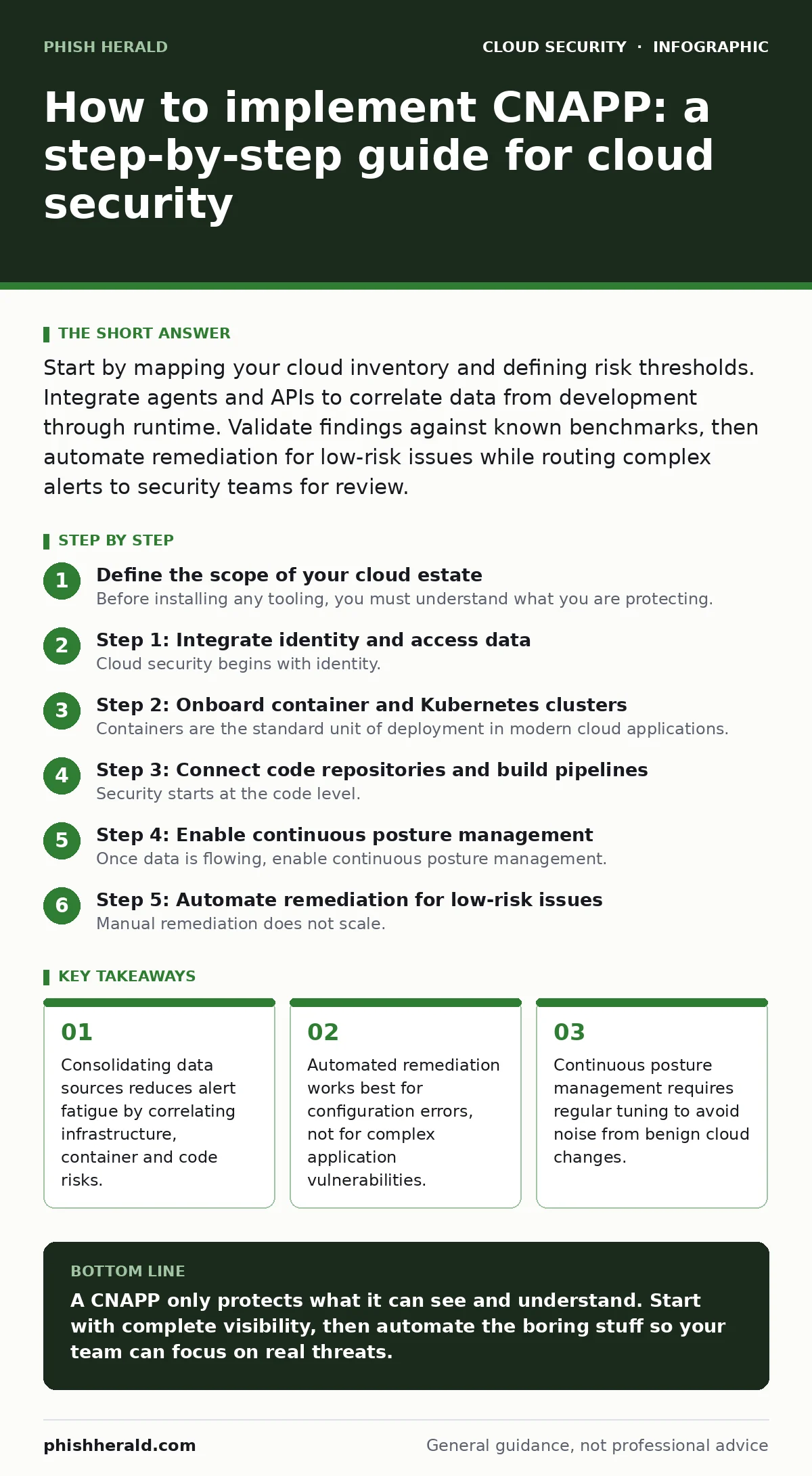
Start by mapping your cloud inventory and defining risk thresholds. Integrate agents and APIs to correlate data from development through runtime. Validate findings against known benchmarks, then automate remediation for low-risk issues while routing complex alerts to security teams for review.
Define the scope of your cloud estate
Before installing any tooling, you must understand what you are protecting. Cloud environments change constantly, with resources spinning up and down in seconds. If your visibility is incomplete, your protection will be too. You need a clear map of all cloud accounts, regions and services in use. This includes development, staging and production environments. Ignore none of them, as attackers often pivot through less-secure test environments.
Identify the critical workloads first. These are the applications that handle sensitive data or support core business functions. Protecting these assets provides the highest return on investment. You should also identify the teams responsible for each workload. Security tools fail when they block development without a clear path to resolution. Establishing ownership early prevents friction later in the rollout.
Step 1: Integrate identity and access data
Cloud security begins with identity. You cannot protect resources if you do not know who is accessing them. Connect your CNAPP to your identity provider. This allows the platform to map users and service accounts to specific cloud resources. Look for signs of identity sprawl, where too many accounts have excessive permissions.
Verify this integration by checking if the platform can list all active sessions and their associated permissions. You should see a clear link between a user and the resources they can access. If the platform shows gaps, your data sync is incomplete. Fix these gaps before moving to the next step. Without accurate identity data, every other alert lacks context.
Step 2: Onboard container and Kubernetes clusters
Containers are the standard unit of deployment in modern cloud applications. You must onboard your Kubernetes clusters and container registries. This involves installing agents or connecting APIs to collect runtime data. The platform will monitor for Kubernetes misconfigurations and insecure network policies.
Check the health of each cluster. The platform should report the number of nodes, pods and services. It should also flag any container escape risks, where a process breaks out of its isolated environment. If the platform cannot see into your container runtime, you have a blind spot. Ensure that the agents are deployed correctly across all namespaces.
Step 3: Connect code repositories and build pipelines
Security starts at the code level. Integrate your CNAPP with your source code repositories and CI/CD pipelines. This allows the platform to scan for vulnerabilities before they reach production. Look for public code repository leaks that might expose secrets or credentials. Also, check for insecure container images that contain known vulnerabilities.
Verify this step by triggering a build with a known vulnerability. The platform should detect the issue and block or flag the build. If it misses the vulnerability, your scanning rules are too weak. Adjust the sensitivity until it catches the test case. This ensures that bad code does not enter your deployment pipeline.
Step 4: Enable continuous posture management
Once data is flowing, enable continuous posture management. This feature compares your cloud configuration against security benchmarks. It identifies drift from your desired state. For example, it might flag a storage bucket that is open to the public. It also monitors for insecure cloud APIs that could allow unauthorized access.
Review the initial findings. You will likely see hundreds of alerts. Prioritise them based on risk. Focus on issues that expose data or allow remote code execution. Do not try to fix everything at once. Start with the most critical risks. This approach keeps your team from becoming overwhelmed.
See also: Stop Exposed Storage Buckets: 3 Cloud Security Fixes That Work · Cloud Data Exfiltration: 6 Myths That Leave Your Assets Vulnerable
Step 5: Automate remediation for low-risk issues
Manual remediation does not scale. Configure your CNAPP to automatically fix low-risk configuration errors. For example, you can set it to close open ports or disable unused services. This reduces the workload on your security team. It also speeds up response time to minor issues.
Test the automation in a non-production environment first. Verify that the fixes do not break application functionality. Once confident, roll out automation to production. Monitor the changes closely. If an automated fix causes an outage, disable it immediately. Automation is powerful but dangerous if not controlled.
Step 6: Tune alerts and reduce noise
Your initial alert volume will be high. Many alerts will be false positives or low-risk issues. Tune the platform to reduce noise. Suppress alerts for non-critical resources. Adjust the thresholds for what constitutes a risk. This ensures that your team only sees actionable alerts.
Check the alert queue daily. Are you seeing the same alerts repeatedly? Are you missing any real threats? Adjust the rules based on feedback. Over time, the alert volume should decrease while the quality increases. This tuning process is ongoing. Cloud environments change, and your security rules must change with them.
Verify the implementation with a checklist
Use this checklist to confirm your CNAPP is working correctly.
- All cloud accounts are connected and synchronising data.
- Identity mappings are accurate and up to date.
- Container and Kubernetes clusters are monitored for runtime risks.
- Code repositories are integrated for pre-deployment scanning.
- Continuous posture management identifies configuration drift.
- Automated remediation is tested and enabled for low-risk issues.
- Alert noise is reduced through tuning and suppression rules.
Maintain and update your security posture
Implementation is not a one-time event. You must maintain your CNAPP configuration. Regularly review the risk thresholds and automation rules. Update the platform to the latest version to benefit from new features and security patches. Train your team on how to use the platform effectively.
Monitor for new cloud services and features. As you adopt new technologies, ensure your CNAPP can protect them. Keep an eye on emerging threats and adjust your rules accordingly. Security is a continuous process. Your CNAPP is a tool that supports this process. Use it wisely to stay ahead of attackers.
Key takeaways
- Consolidating data sources reduces alert fatigue by correlating infrastructure, container and code risks.
- Automated remediation works best for configuration errors, not for complex application vulnerabilities.
- Continuous posture management requires regular tuning to avoid noise from benign cloud changes.
A CNAPP only protects what it can see and understand. Start with complete visibility, then automate the boring stuff so your team can focus on real threats.
Frequently asked questions
Can CNAPP replace a traditional firewall?
No, CNAPP focuses on cloud-native risks like configuration and identity. Firewalls still manage network traffic and perimeter defence. You need both for a layered defence.
How long does implementation take?
It depends on your environment size. A basic setup can take weeks, while full integration and tuning may take months. Start small and expand gradually.
Does CNAPP stop ransomware?
It can help by detecting suspicious activity and misconfigurations that ransomware exploits. It does not directly block malware execution like an endpoint solution.
What is the biggest risk of poor CNAPP configuration?
Alert fatigue. If the platform generates too many false positives, teams will ignore it, leaving real threats undetected. Tuning is critical.
How this guide was produced: written by the Phish Herald editorial team with AI assistance, checked against the public references listed below, and reviewed when the facts change. See our editorial policy or report an error.