What Is Cache Poisoning: How It Works and How to Stop It
Web cache poisoning allows attackers to serve malicious content to thousands of users by tricking servers into storing and re-serving tampered responses.
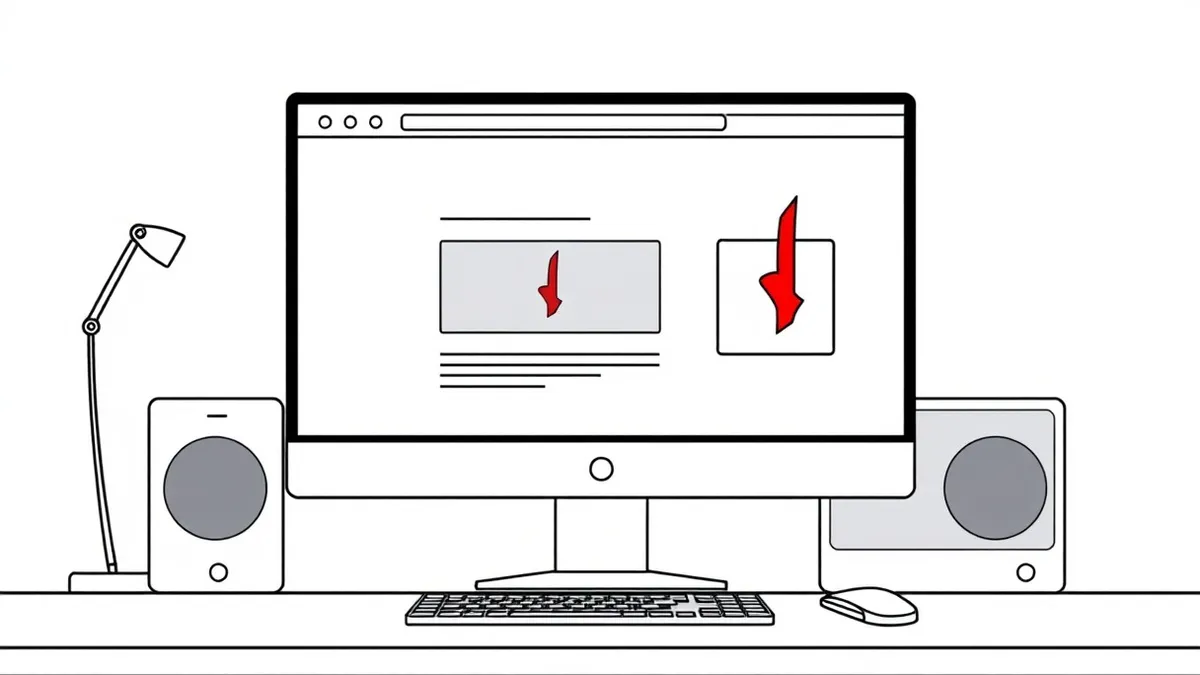
Web cache poisoning occurs when an attacker manipulates how a web cache stores responses. By injecting malicious data into headers or parameters, the attacker forces the cache to save a harmful version of a page. Subsequent visitors receive this poisoned content without the server re-checking the original source.
An Everyday Analogy for Understanding the Threat
Imagine a busy restaurant kitchen. The chef prepares a complex dish only once. Instead of cooking it fresh for every customer, the kitchen stores it in a warming tray. When a new order arrives, the staff checks the tray. If the dish matches the order, they serve the stored version. This saves time and reduces kitchen load. Now suppose a malicious waiter slips into the kitchen. They do not change the recipe. Instead, they alter the label on the warming tray. The next customer who orders that dish receives the altered version. The chef never sees the change because the tray already holds the answer. This is exactly how web caching works, and where the danger lies.
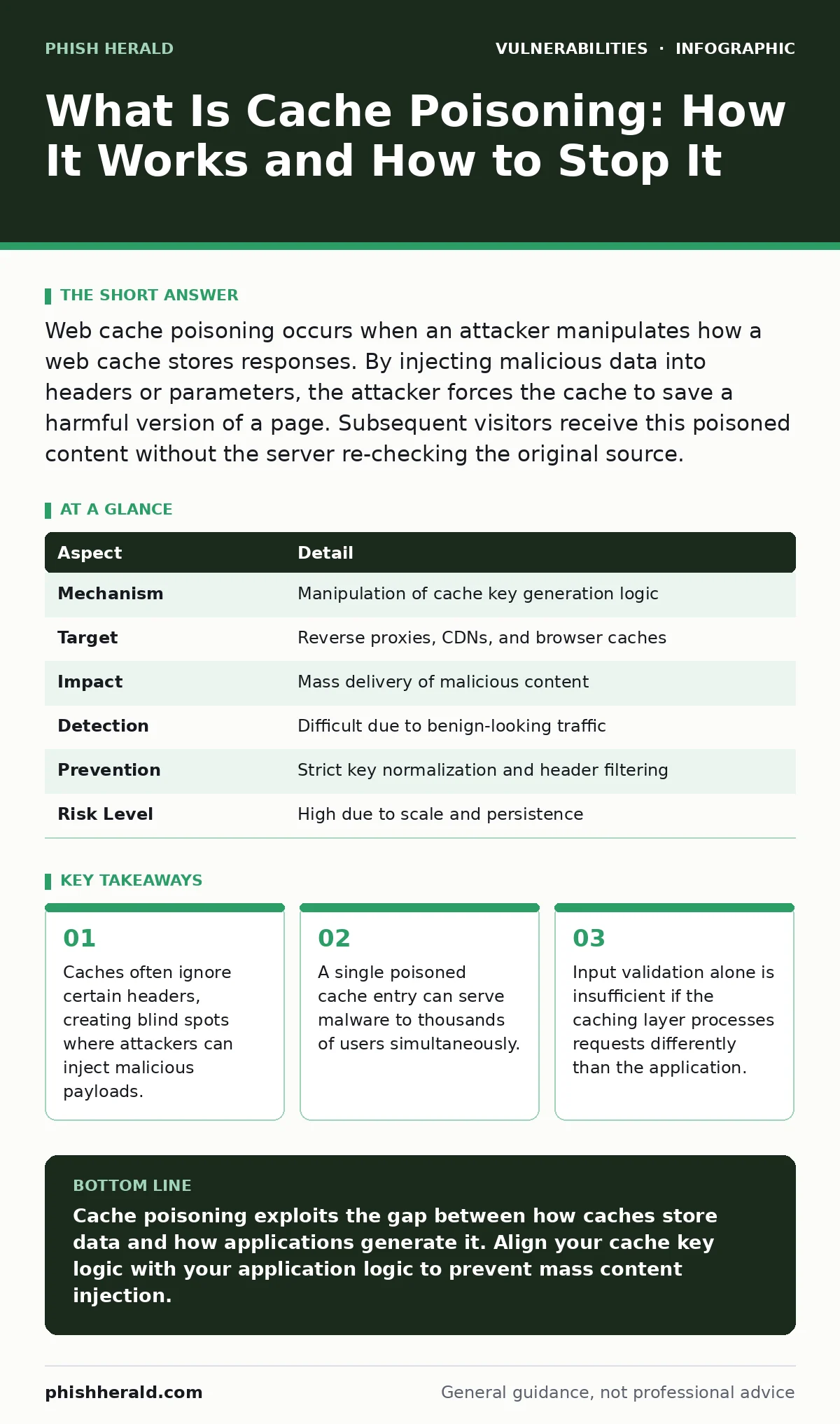
| Aspect | Detail |
|---|---|
| Mechanism | Manipulation of cache key generation logic |
| Target | Reverse proxies, CDNs, and browser caches |
| Impact | Mass delivery of malicious content |
| Detection | Difficult due to benign-looking traffic |
| Prevention | Strict key normalization and header filtering |
| Risk Level | High due to scale and persistence |
What Is Cache Poisoning
What is cache poisoning? It is an attack where an adversary manipulates the way a web cache stores and retrieves responses. Caches exist to improve performance. They store copies of web pages so the origin server does not need to regenerate them for every request. This speeds up loading times and reduces server costs. The cache decides whether to serve a stored copy or fetch a new one based on a "key".
This key is usually derived from the request URL and specific headers. If an attacker can influence how this key is created, they can trick the cache into storing a malicious response. The cache then serves this poisoned content to all future users who match that key. The origin server remains unaware because it never receives the subsequent requests.
How the Attack Mechanism Functions
The attack relies on a mismatch between how the cache and the application process requests. Caches typically use a subset of headers to build their storage key. They might ignore headers like User-Agent or Accept-Encoding. The application, however, might use these ignored headers to determine what content to return. An attacker sends a request with a malicious payload in an ignored header. The application processes this header and generates a response containing the malicious code. The cache sees the request, builds a key using only the standard headers, and stores the response. Because the key does not include the malicious header, any normal user requesting the same page gets the same key. The cache serves the stored, malicious response. The attacker has effectively hijacked the page for everyone.
Who Is Affected by This Vulnerability
You might assume only poorly configured servers are at risk. This is incorrect. Major content delivery networks and reverse proxies are frequent targets. These systems handle massive traffic volumes. They are designed for speed, which often means they simplify how they build cache keys. This simplification creates the gap attackers exploit. Any website that uses caching for performance is vulnerable.
This includes e-commerce platforms, news sites, and corporate portals. The impact scales with traffic. A popular site serves the poisoned content to thousands of users in seconds. The attack is particularly dangerous because it bypasses many security controls. Web application firewalls might inspect the initial request but not the cached response served to later users. The attack persists until the cache entry expires or is manually purged.
What People Usually Get Wrong
Many teams focus solely on input validation. They sanitize every character in the request body and query parameters. This is a common mistake. Cache poisoning often occurs in headers that are not validated as strictly. Headers like X-Forwarded-Proto or User-Agent are frequently trusted implicitly. Another error is assuming that HTTPS prevents the issue. Encryption protects the data in transit but does not fix the logic flaw in the cache. The cache still stores the malicious response. A third misconception is that this is a rare, theoretical threat. It is not. Attackers use automated tools to scan for these mismatches. They test hundreds of headers to find one that the application uses but the cache ignores. The search for "what is cache poisoning" often leads to technical papers, but the practical risk is immediate for any cached endpoint.
See also: Web Application Firewalls: 6 Common Misunderstandings to Avoid · Prevent Open Redirect Vulnerabilities: A Technical Prevention Checklist
The Hidden Cost of Caching Logic
The core issue is a lack of transparency in caching rules. You often do not control the cache configuration directly. When you use a third-party CDN, you rely on their default settings. These defaults prioritise speed over security. They might strip out headers that your application considers significant. This creates a silent divergence. The application thinks it is serving personalised or secure content based on a header.
The cache thinks it is serving a generic page. This divergence is the attack surface. You cannot patch this by updating your web server software. You must align the caching logic with the application logic. This requires deep understanding of both systems. It also means regular testing. You must verify that every header your application uses is either included in the cache key or stripped out completely. Leaving it in the middle is dangerous.
How to Mitigate the Risk Effectively
Prevention requires a shift in how you design caching strategies. The primary rule is consistency. The cache and the application must agree on what makes a request unique. If your application changes the response based on a specific header, that header must be part of the cache key. If you cannot modify the cache key, you must remove that header before it reaches the application. This forces the application to ignore it.
Another measure is to use canonicalisation. This process normalises the request URL and headers before the cache processes them. It removes ambiguities that attackers exploit. You should also limit the scope of caching. Do not cache pages that contain user-specific data. Use private caching headers for such content. This ensures each user gets their own copy. Finally, monitor cache hits and misses. Sudden changes in hit rates can indicate an attack.
This approach complements other security measures. Proper input validation is still necessary to handle the data itself. However, it does not replace cache logic fixes. Similarly, fixing broken access control ensures users cannot see data they should not, but it does not prevent mass poisoning. Understanding path traversal vulnerabilities helps you secure file access, but cache poisoning targets the response layer.
These are distinct issues. Addressing them together creates a stronger defence. You must treat the cache as a separate system with its own security requirements. It is not just a storage bucket. It is a logic layer that interprets requests. Treat it with the same scrutiny as your application code.
Detecting and Responding to an Incident
Detection is challenging. The traffic looks normal. The attacker sends a single request. The cache stores the result. Subsequent requests are served from the cache. Your logs might show a spike in cache hits. This is a subtle indicator. Look for anomalies in response sizes or content hashes. If the same URL returns different content to different users, you have a problem. Automated monitoring tools can help. They compare cached responses against expected baselines.
When you detect poisoning, act quickly. Purge the affected cache entries immediately. This stops the spread. Then, investigate the root cause. Identify which header or parameter was used. Update your caching rules to include that variable in the key. Test the fix thoroughly. Do not assume a simple purge solves the long-term issue. The configuration flaw remains. You must fix the logic, not just clean the cache.
Key takeaways
- Caches often ignore certain headers, creating blind spots where attackers can inject malicious payloads.
- A single poisoned cache entry can serve malware to thousands of users simultaneously.
- Input validation alone is insufficient if the caching layer processes requests differently than the application.
Cache poisoning exploits the gap between how caches store data and how applications generate it. Align your cache key logic with your application logic to prevent mass content injection.
Frequently asked questions
Does using HTTPS prevent cache poisoning?
No, HTTPS encrypts data in transit but does not fix the logic flaw in how the cache stores and retrieves responses.
Can I stop this attack by blocking specific headers?
You can mitigate it by ensuring headers used by the application are included in the cache key or stripped before processing.
How do I know if my site is vulnerable?
Test by sending requests with varying headers and checking if the cache serves different responses for the same URL.
Is this a client-side or server-side issue?
It is primarily a server-side configuration issue involving the reverse proxy or CDN caching layer.
How this guide was produced: written by the Phish Herald editorial team with AI assistance, checked against the public references listed below, and reviewed when the facts change. See our editorial policy or report an error.