Data Scraping Prevention Checklist for Web Assets
Automated bots harvest your public data faster than manual attackers, turning your own marketing content into a target for credential stuffing and social engineering.

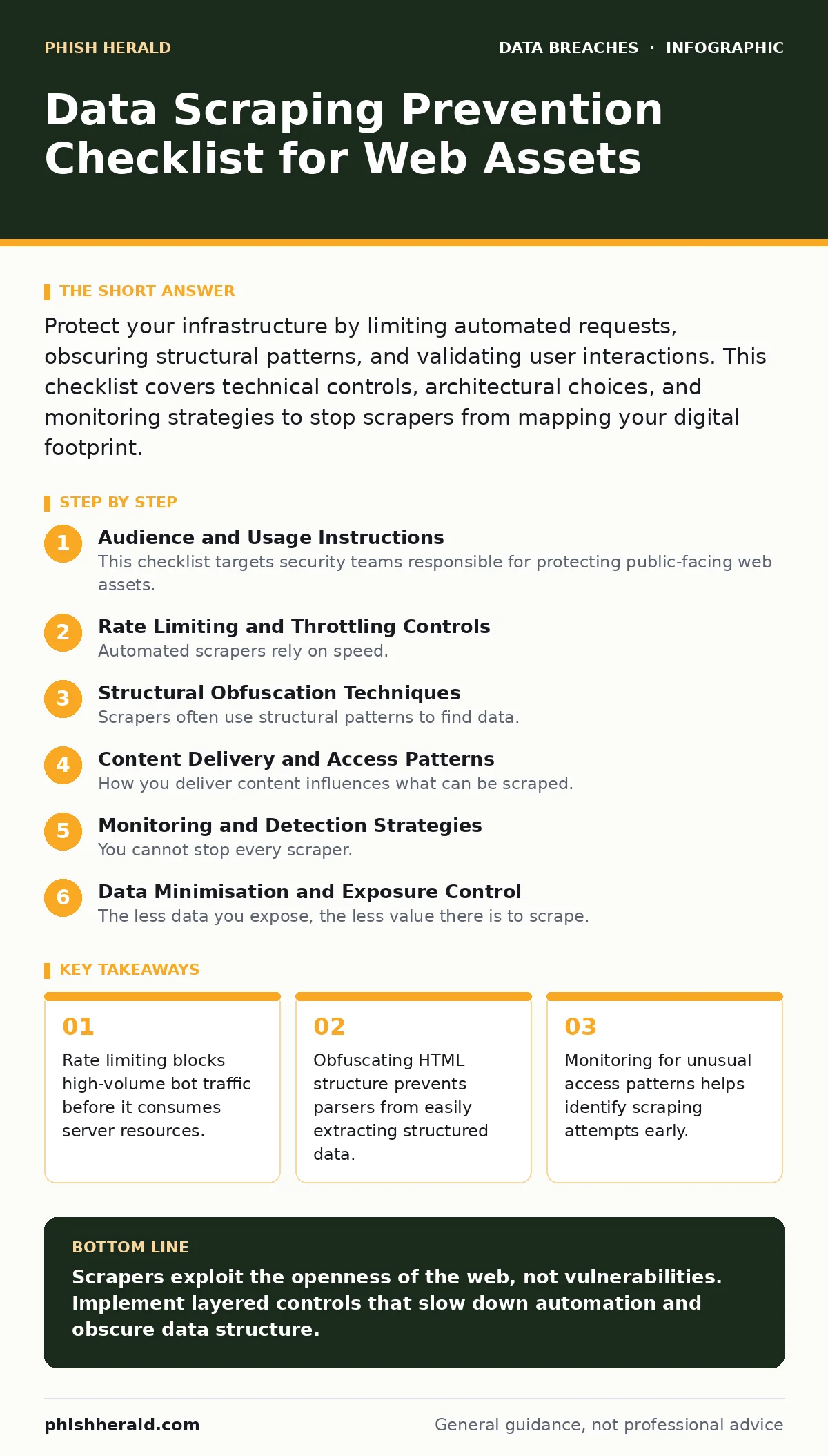
Protect your infrastructure by limiting automated requests, obscuring structural patterns, and validating user interactions. This checklist covers technical controls, architectural choices, and monitoring strategies to stop scrapers from mapping your digital footprint.
Audience and Usage Instructions
This checklist targets security teams responsible for protecting public-facing web assets. You should use it to audit your current defences against automated data harvesting. Scrapers do not need to exploit vulnerabilities; they simply read what you have published. The goal is to make that reading difficult, slow, or useless. Review each item quarterly.
Rate Limiting and Throttling Controls
Automated scrapers rely on speed. They send hundreds of requests per second to download pages quickly. Your first line of defence is to slow them down. Rate limiting restricts the number of requests a single IP address or user session can make within a specific time window. This protects your server from exhaustion and makes scraping economically unviable for the attacker.
- Implement progressive rate limiting: Gradually increase response times or block requests after a threshold is reached. This hides your exact limits from the attacker.
- Enforce per-endpoint limits: Set stricter limits on data-heavy endpoints like API responses or search results. These endpoints provide the most value to scrapers.
- Use sliding window counters: Track requests over a rolling time period rather than fixed intervals. This prevents attackers from timing their requests to avoid limits.
- Block known malicious IP ranges: Maintain a list of IPs associated with previous scraping attempts. This reduces the noise in your logs.
Structural Obfuscation Techniques
Scrapers often use structural patterns to find data. If your HTML follows a predictable pattern, a simple script can extract all your data. You must break these patterns without breaking the user experience. This is known as structural obfuscation. It forces the scraper to write custom code for your specific site, increasing their effort and cost.
- Randomise class names: Use dynamic CSS class names for data elements. This prevents selectors like
.priceor.usernamefrom working. - Inject dummy data: Place fake items in lists or tables that look real to bots but are ignored by human users. This pollutes the scraped dataset.
- Use CAPTCHA challenges: Trigger a challenge after a certain number of requests or on sensitive actions. This distinguishes humans from automated agents.
- Implement fingerprinting: Check for browser characteristics like JavaScript support or screen resolution. Bots often lack these standard features.
Content Delivery and Access Patterns
How you deliver content influences what can be scraped. Static HTML is easy to read. Dynamic content loaded via JavaScript is harder for simple scrapers to parse. You should consider shifting data delivery to methods that require a full browser environment. This raises the barrier to entry for automated tools.
- Serve data via API only: Load content dynamically after the page loads. This hides the data from simple HTML crawlers.
- Implement tokenised access: Require a unique token for each page request. This prevents replay attacks and makes bulk downloading difficult.
- Use webfonts for sensitive text: Render text as images or custom fonts. This prevents simple text extraction tools from copying the content.
- Monitor for unusual user agents: Block requests that do not identify as standard web browsers. Many scrapers use generic or missing user agents.
Monitoring and Detection Strategies
You cannot stop every scraper. Some will bypass your controls. Your monitoring systems must detect when scraping is happening. Look for patterns that indicate automated behaviour. High volumes of requests from a single source are a clear sign. Unusual access times or geographic locations can also indicate malicious activity.
- Log all access patterns: Record IP addresses, timestamps, and requested URLs. This data is vital for forensic analysis.
- Set up alerting thresholds: Trigger alerts when request volumes exceed normal baselines. This allows for rapid response to active scraping.
- Analyse traffic sources: Identify which regions or ISPs are generating the most traffic. This helps in blocking entire networks of bad actors.
- Review logs for failed CAPTCHAs: A high rate of failed challenges indicates an active bot campaign. This is a strong signal of intent.
See also: Prevent Open Redirect Vulnerabilities: A Technical Prevention Checklist · What Is Cache Poisoning: How It Works and How to Stop It
Data Minimisation and Exposure Control
The less data you expose, the less value there is to scrape. Review your public-facing applications to ensure they only display necessary information. Over-sharing data creates risk. For example, if you expose user IDs in URLs, a scraper can enumerate your entire user base. You must limit the attack surface.
- Remove unnecessary metadata: Strip EXIF data from images and remove hidden fields in forms. This prevents leakage of internal tooling details.
- Limit search functionality: Restrict search results to a small number of items. This prevents bulk extraction of your database contents.
- Implement pagination: Force users to click through pages rather than loading all data at once. This slows down automated harvesting.
- Review third-party scripts: Ensure external scripts do not expose your data to other domains. This prevents data leakage via analytics or tracking pixels.
Incident Response and Mitigation
When scraping is detected, you must respond quickly. Blocking an IP is often not enough. Sophisticated scrapers use proxy networks. You need a broader mitigation strategy. This includes updating your rules, notifying affected users if personal data was scraped, and reviewing your defences.
- Update blocklists immediately: Add new malicious IPs to your firewall rules. This stops the current attack vector.
- Rotate secrets and tokens: If API keys were exposed, revoke them and issue new ones. This prevents further unauthorised access.
- Notify affected parties: Inform users if their personal data was scraped. This maintains trust and complies with regulations.
- Conduct a post-incident review: Analyse how the scraper bypassed your controls. This improves your future defences.
Key takeaways
- Rate limiting blocks high-volume bot traffic before it consumes server resources.
- Obfuscating HTML structure prevents parsers from easily extracting structured data.
- Monitoring for unusual access patterns helps identify scraping attempts early.
Scrapers exploit the openness of the web, not vulnerabilities. Implement layered controls that slow down automation and obscure data structure.
Frequently asked questions
Does HTTPS prevent data scraping?
No. HTTPS encrypts data in transit, but it does not prevent authorised access. Scrapers receive the same encrypted data as legitimate users.
Can I block all bots from my website?
No. Search engine bots and legitimate monitoring tools are also bots. You must distinguish between good and bad automation using behaviour analysis.
What is the difference between scraping and crawling?
Crawling is the process of discovering links. Scraping is the extraction of data from those pages. Crawlers may not extract data, but scrapers always do.
How often should I update my scraping defences?
You should review your controls quarterly. Scraping techniques evolve, and your defences must adapt to new methods of automation.
How this guide was produced: written by the Phish Herald editorial team with AI assistance, checked against the public references listed below, and reviewed when the facts change. See our editorial policy or report an error.