Input Validation for Small Teams: Secure Code Without the Budget
Proper input validation stops logic errors before they become exploits, reducing the need for expensive perimeter defences later in the development cycle.
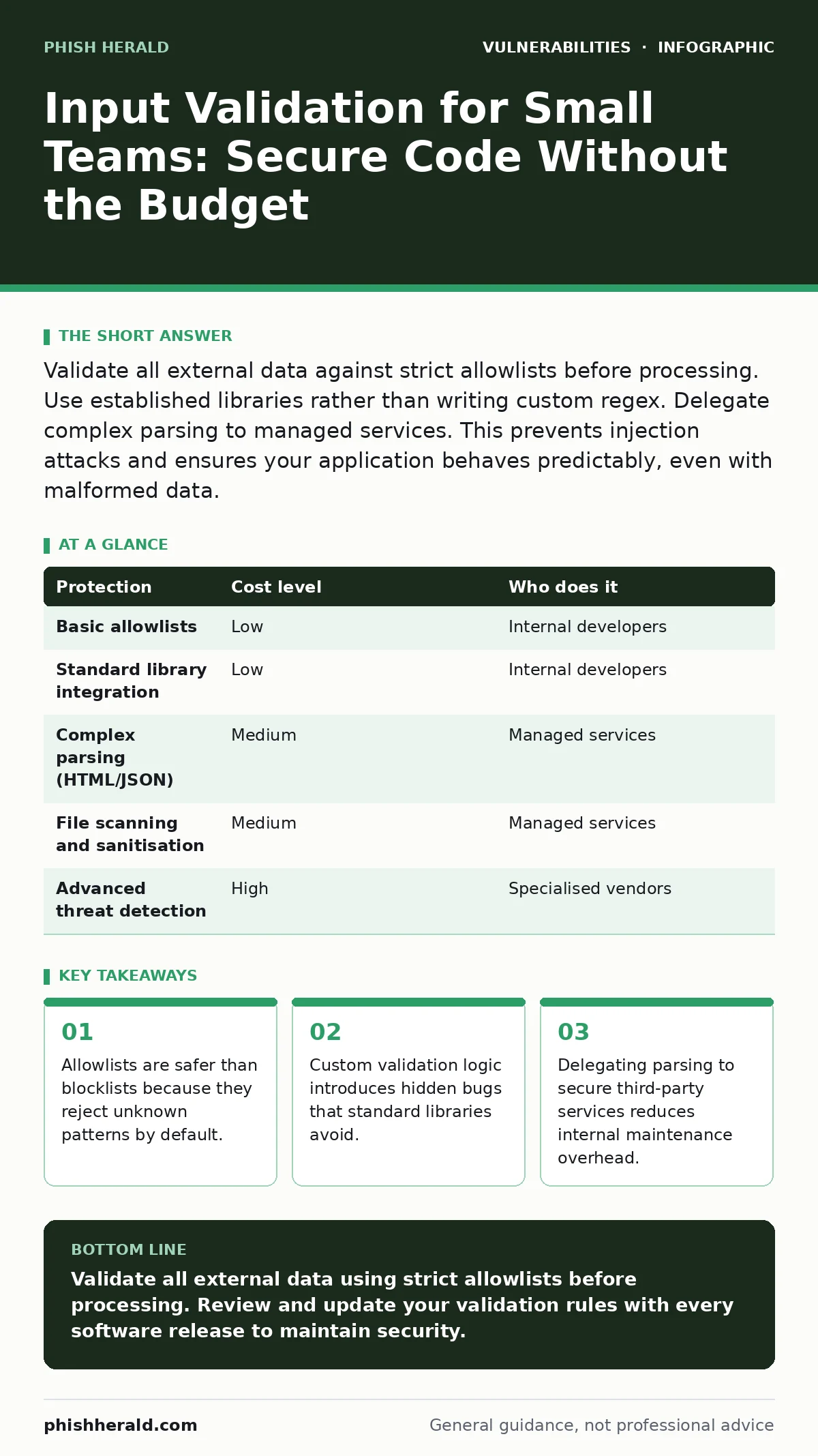
Validate all external data against strict allowlists before processing. Use established libraries rather than writing custom regex. Delegate complex parsing to managed services. This prevents injection attacks and ensures your application behaves predictably, even with malformed data.
The Hidden Cost of Trusting User Data
You assume your application knows what to expect. It does not. Every field where a user types, clicks, or uploads is a potential entry point for unexpected data. Input validation is the process of checking that data before your system processes it. Without it, your code behaves like an open door.
Small teams often skip this step to ship features faster. This creates technical debt. You pay for it later in emergency patches and lost trust. The cost is not just financial. It is the erosion of confidence in your systems. When an application crashes because of a single character, users stop trusting the platform.
Imagine a scenario where a form accepts a date. You expect "DD/MM/YYYY". Your application tries to calculate shipping costs based on this date. It fails. The error message reveals database structure details to the user. This is a security risk. It tells attackers how your system works.
Why Allowlists Beat Blocklists
The most common mistake is using blocklists. You try to ban known bad characters. This approach fails. Attackers find new characters every day. You cannot predict every possible input. An allowlist is safer. It defines exactly what is permitted. Anything else is rejected immediately.
Suppose you accept a country code. An allowlist permits "US", "UK", and "CA". A user enters "US<script>alert('x')</script>". The allowlist rejects it. A blocklist might miss the script if it only bans "<script>". It might allow "<Script>" or "<SCRIPT>". Allowlists remove this ambiguity.
This method requires more upfront effort. You must define every valid value. For small datasets, this is easy. For complex text, it is harder. You must balance security with usability. If you are too strict, users cannot submit forms. If you are too loose, attackers find gaps.
Affordable Tools for Small Teams
You do not need expensive enterprise tools to validate input. Open-source libraries are widely available and well-tested. They handle edge cases you might miss. Writing your own validation logic is risky. You will likely make mistakes. These mistakes become vulnerabilities.
Use standard libraries for common tasks. Email validation, URL parsing, and date formatting have established solutions. These libraries are updated by communities. They patch issues quickly. Your team focuses on your business logic, not on reinventing basic checks.
Consider the trade-off. Using a library adds a dependency. You must keep it updated. This links to the practice of automatic software updates. If you neglect updates, the library becomes a liability. If you maintain it, it becomes a shield. The cost is minimal. The benefit is significant.
What to Delegate to Providers
Some validation tasks are too complex for small teams. Building a secure HTML parser, for example, is difficult. It requires deep knowledge of browser quirks and security models. Trying to do this in-house is a waste of resources. Delegate it to providers who specialise in it.
Managed services often include input sanitisation. They handle the heavy lifting. You send them data. They return clean, safe data. This reduces your attack surface. It also reduces your maintenance burden. You do not need to track every new parsing vulnerability.
This applies to file handling as well. File upload vulnerabilities are common. Users upload images that contain malicious code. A provider can scan and resize files. They ensure the file is a true image. This prevents path traversal vulnerabilities where attackers try to access other files on the server.
| Protection | Cost level | Who does it |
|---|---|---|
| Basic allowlists | Low | Internal developers |
| Standard library integration | Low | Internal developers |
| Complex parsing (HTML/JSON) | Medium | Managed services |
| File scanning and sanitisation | Medium | Managed services |
| Advanced threat detection | High | Specialised vendors |
The Edge Case of Hidden Inputs
Users do not only type in visible fields. They can modify hidden fields in forms. They can send HTTP headers with unexpected values. Your validation must cover all inputs. Not just the ones on the screen.
Imagine a price field. It is hidden in the HTML. The server sets the price. A user changes the value in their browser. If the server trusts this value, the user buys the item for one cent. This is a business logic error. It is caused by failing to validate server-side inputs.
Always validate on the server. Client-side validation is for user experience. It is not for security. A determined user can bypass browser checks. The server is the last line of defence. It must verify every piece of data.
See also: File Upload Vulnerabilities: Risks and Protection for Small Businesses · Path Traversal Vulnerabilities: Risks and Protection for Small Businesses
Integrating with Broader Security
Input validation does not work in isolation. It supports other security measures. For example, least privilege access ensures that even if an attacker injects code, they have limited rights. If the application runs as a root user, the damage is severe. If it runs with minimal permissions, the damage is contained.
Validation also helps prevent HTTP request smuggling. This attack confuses servers about where one request ends and another begins. Proper validation of headers and bodies ensures clear boundaries. It stops attackers from injecting requests into other users' sessions.
You should also consider software composition analysis. This checks your libraries for known vulnerabilities. If you use a library for validation, you must ensure it is secure. If the library has a flaw, your validation fails. Regular checks keep your dependencies safe.
Questions for Your IT Provider
If you delegate validation, you must vet your provider. They are an extension of your team. Their security practices affect your risk. Ask specific questions. Do not accept vague answers.
- How do you handle malformed input?
- Do you use allowlists or blocklists?
- How often are your validation libraries updated?
- What happens when a new vulnerability is found?
- Can you provide a sample of your sanitisation output?
These questions reveal their maturity. A good provider will have clear processes. They will explain their methods. They will not promise perfect security. They will explain their limits.
Maintaining Validation Over Time
Requirements change. New features bring new inputs. You must revisit validation rules. A field that was optional may become required. A text field may now accept numbers. Each change introduces risk.
Review your validation logic with every release. Test with unexpected inputs. Try special characters. Try empty strings. Try very long strings. This is not just testing. It is security hygiene. It ensures your defences remain effective.
Document your validation rules. This helps new team members understand the system. It also helps during audits. You can show that you have a process. This builds trust with stakeholders. It demonstrates that you take security seriously.
Key takeaways
- Allowlists are safer than blocklists because they reject unknown patterns by default.
- Custom validation logic introduces hidden bugs that standard libraries avoid.
- Delegating parsing to secure third-party services reduces internal maintenance overhead.
Validate all external data using strict allowlists before processing. Review and update your validation rules with every software release to maintain security.
Frequently asked questions
Is client-side validation enough for security?
No, client-side validation can be bypassed. Always validate on the server to ensure data integrity and security.
How do I handle free-text fields securely?
Use allowlists for expected patterns. Sanitise output to prevent injection. Consider using managed services for complex text processing.
What is the difference between validation and sanitisation?
Validation checks if data meets expected rules. Sanitisation cleans data to remove harmful elements. Use both for robust security.
Can I use regular expressions for validation?
Yes, but be cautious. Complex regex can have performance issues or logic errors. Use established libraries where possible.
How this guide was produced: written by the Phish Herald editorial team with AI assistance, checked against the public references listed below, and reviewed when the facts change. See our editorial policy or report an error.