File Upload Vulnerabilities: Risks and Protection for Small Businesses
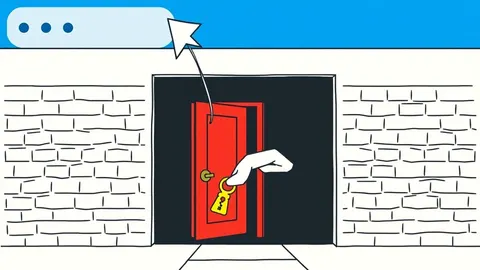
Unrestricted file uploads allow attackers to execute code directly on your server, turning a simple document submission into a persistent backdoor that bypasses perimeter defences entirely.

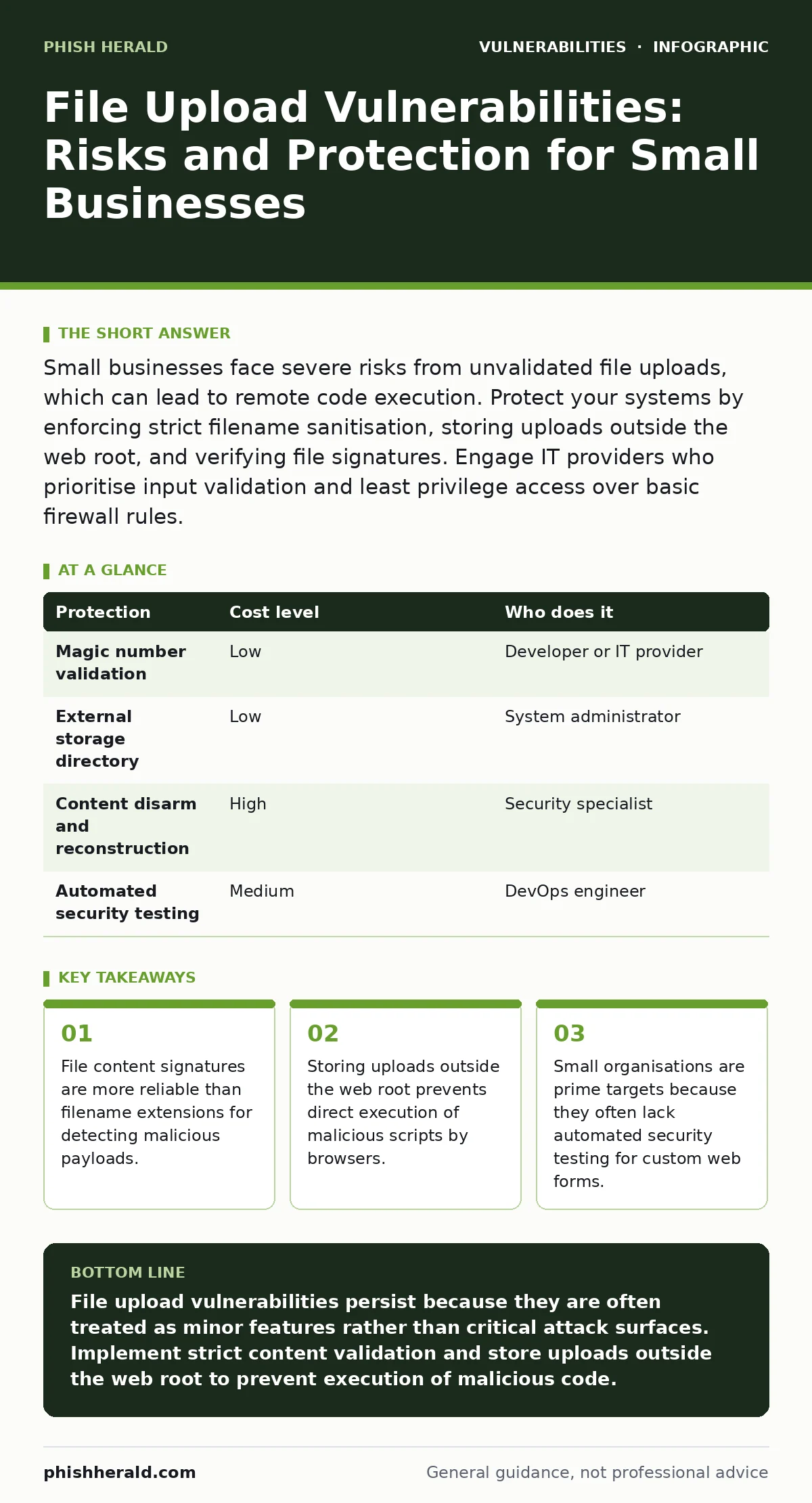
Small businesses face severe risks from unvalidated file uploads, which can lead to remote code execution. Protect your systems by enforcing strict filename sanitisation, storing uploads outside the web root, and verifying file signatures. Engage IT providers who prioritise input validation and least privilege access over basic firewall rules.
The Hidden Risk of Simple Forms
File upload functionality is ubiquitous in modern web applications, from customer portals to internal document management systems. For small organisations, this feature is often implemented quickly using standard libraries that trust the user by default. This trust is a critical vulnerability. When a server accepts a file without rigorous inspection, it opens a direct channel for an attacker to place executable code on your infrastructure.
The danger lies not in the file itself, but in how the server processes it. If the server treats an uploaded image as an image, the risk is low. If it treats a renamed script as a script, the risk is catastrophic. Attackers exploit this discrepancy by disguising malicious scripts as benign documents. This technique bypasses basic security filters that only check file extensions, such as .jpg or .pdf, while ignoring the actual content within the file.
Small businesses are particularly exposed because they rarely have dedicated security teams to review custom code. They rely on the assumption that standard web frameworks are secure out of the box. However, default configurations often prioritise ease of use over security, leaving upload endpoints wide open. Without specific hardening, these endpoints become the weakest link in your digital defence perimeter.
Why Filename Extensions Fail
Many developers assume that restricting allowed file extensions is sufficient protection. This approach is flawed because it relies on metadata that users can easily manipulate. An attacker can simply rename a malicious PHP script to image.jpg before uploading it. If your server logic only checks the extension, it will accept the file as a harmless image.
The server then stores the file with the .jpg extension, but the underlying content remains executable code. If the server is misconfigured to execute files based on content type rather than extension, or if the attacker can exploit a double extension trick (e.g., image.jpg.php), the malicious code runs. This highlights the necessity of input validation that goes beyond surface-level checks.
You must validate the file’s internal structure, not just its name. This process, known as magic number checking, examines the first few bytes of the file to determine its true format. A JPEG file always starts with specific hexadecimal values. If a file claims to be a JPEG but lacks these bytes, it should be rejected immediately. This method is significantly more reliable than extension filtering alone.
Storage Location and Execution Rights
Where you store uploaded files is as important as how you validate them. A common mistake is storing user uploads in the same directory as your application code. This practice increases the risk of path traversal vulnerabilities, where an attacker manipulates the file path to overwrite critical system files.
To mitigate this, store uploads in a directory outside the web root. The web root is the folder from which your web server serves files to the public. By placing uploads outside this area, you ensure that even if a malicious script is uploaded, the web server cannot execute it directly. Access to these files must be mediated through your application code, which can enforce additional security checks before serving the file to a user.
Furthermore, the directory itself should not have execute permissions. If the server cannot run scripts from that location, an uploaded PHP or Python file becomes inert. It may exist on the disk, but it cannot interact with the operating system or your database. This separation of duties is a fundamental principle of secure system design.
| Protection | Cost level | Who does it |
|---|---|---|
| Magic number validation | Low | Developer or IT provider |
| External storage directory | Low | System administrator |
| Content disarm and reconstruction | High | Security specialist |
| Automated security testing | Medium | DevOps engineer |
The Limits of Antivirus Scanning
Many organisations install antivirus software on their servers and assume it will catch malicious uploads. This is a false sense of security. Antivirus engines rely on known signatures of malware. If an attacker creates a new, custom script, the antivirus will not recognise it.
Moreover, antivirus scans can be slow and resource-intensive. Scanning every upload in real-time can degrade application performance, leading to poor user experience. Attackers often exploit this latency by uploading large files that tie up server resources, causing a denial of service. This side effect is a hidden cost of relying on traditional security tools for upload protection.
Instead of relying solely on antivirus, focus on preventing the execution of untrusted code. This is where least privilege access becomes critical. The user account that runs your web server should have no write permissions to system directories and no ability to execute arbitrary commands. Even if an attacker uploads a file, the damage is limited by the low privileges of the server process.
Questions for Your IT Provider
When engaging an IT provider to manage your web applications, you must verify their understanding of application-level security. General network security advice is insufficient for protecting file upload endpoints. You need to ensure they implement specific controls that address the nuances of file handling.
Ask your provider the following questions to assess their competence:
- How do you validate file content beyond checking the filename extension?
- Where are user uploads stored, and do they have execute permissions?
- Do you implement rate limiting to prevent large file denial of service attacks?
- How often is the web application code reviewed for input validation flaws?
- Do you use automatic software updates for all server-side libraries and frameworks?
These questions reveal whether your provider treats security as an afterthought or as a core component of their development lifecycle. A competent provider will have documented procedures for each of these areas. They should also be familiar with software composition analysis to identify vulnerabilities in third-party libraries used in your application.
See also: Prevent Open Redirect Vulnerabilities: A Technical Prevention Checklist · Input Validation for Small Teams: Secure Code Without the Budget
Beyond the Basics: Advanced Threats
While basic validation prevents many attacks, sophisticated attackers may use more advanced techniques. For instance, they might exploit prototype pollution in JavaScript-based applications to manipulate how files are processed. This is a subtle bug that can alter the behaviour of your application in unexpected ways.
Another concern is HTTP request smuggling, where an attacker sends malformed requests to bypass upload restrictions. This requires careful configuration of your reverse proxy and web server to ensure consistent interpretation of HTTP headers. Without proper alignment between these components, an attacker can inject malicious content into your application’s memory.
Regular firmware updates for your network devices are also necessary to prevent attackers from exploiting known vulnerabilities in your hardware. While this may seem unrelated to file uploads, a compromised network device can intercept and modify traffic, allowing an attacker to inject malicious files before they even reach your application. Security is a layered defence, and every layer must be maintained.
Key takeaways
- File content signatures are more reliable than filename extensions for detecting malicious payloads.
- Storing uploads outside the web root prevents direct execution of malicious scripts by browsers.
- Small organisations are prime targets because they often lack automated security testing for custom web forms.
File upload vulnerabilities persist because they are often treated as minor features rather than critical attack surfaces. Implement strict content validation and store uploads outside the web root to prevent execution of malicious code.
Frequently asked questions
Is it safe to allow users to upload executable files like .exe or .bat?
No, allowing executable files is extremely risky. These files can run code directly on your server if misconfigured. Restrict uploads to specific document and image formats only, and validate their internal structure.
How can I prevent large files from crashing my server?
Implement strict file size limits on both the client and server side. Use rate limiting to control the number of uploads per user. This prevents attackers from consuming excessive server resources through denial of service attacks.
Do I need a web application firewall for file uploads?
A web application firewall can provide an additional layer of defence by blocking known attack patterns. However, it is not a substitute for proper input validation and secure coding practices within your application.
What is the difference between a file extension and a magic number?
A file extension is a label added to the filename, such as .jpg, which can be changed easily. A magic number is a sequence of bytes at the beginning of the file that identifies its true format, which is much harder to forge.
How this guide was produced: written by the Phish Herald editorial team with AI assistance, checked against the public references listed below, and reviewed when the facts change. See our editorial policy or report an error.