Path Traversal Vulnerabilities: Risks and Protection for Small Businesses
A single directory path in a URL can bypass file storage controls and expose confidential data without requiring password authentication or complex exploits.
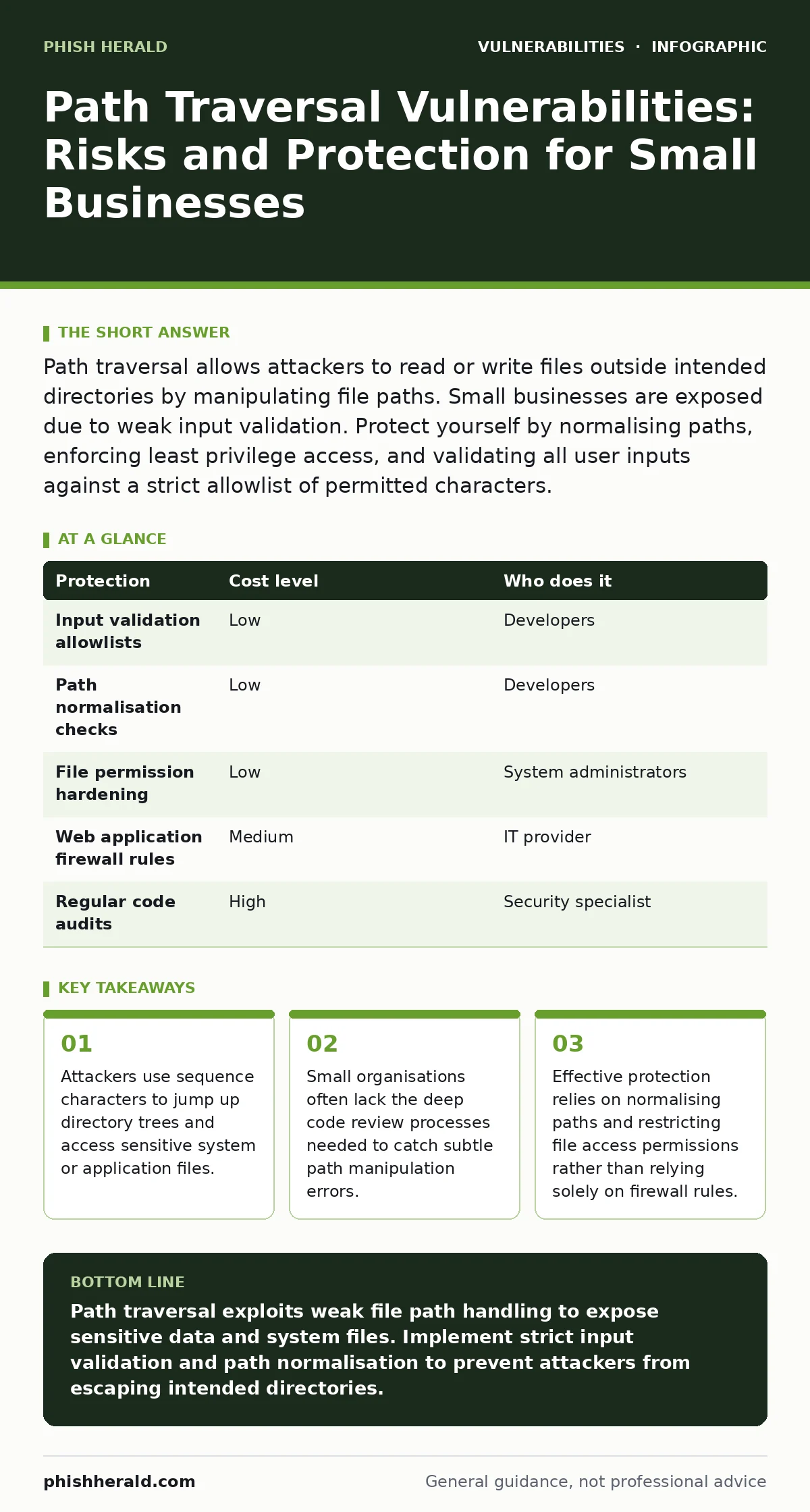
Path traversal allows attackers to read or write files outside intended directories by manipulating file paths. Small businesses are exposed due to weak input validation. Protect yourself by normalising paths, enforcing least privilege access, and validating all user inputs against a strict allowlist of permitted characters.
The Mechanics of Directory Escalation
Path traversal vulnerabilities occur when an application uses user-supplied input to construct a file path without properly sanitising it. The core issue lies in how operating systems interpret directory navigation sequences. In Unix-like systems, .. represents the parent directory. In Windows, .. serves the same purpose. An attacker crafts a request containing multiple instances of these sequences to move up the directory tree until they reach the root or a sensitive location.
The application assumes the input refers to a file within a specific media folder. It concatenates the base path with the user input. If the application does not resolve the final absolute path before accessing the file, the traversal sequences remain active. This allows the request to escape the intended sandbox. The result is often the disclosure of configuration files, source code, or credential stores.
This mechanism is particularly dangerous because it often bypasses standard network security tools. Firewalls inspect headers and payloads for known malicious signatures. A path traversal string looks like a benign file path to many perimeter defences. The vulnerability resides in the application logic, not in the network packet itself. This makes it a stealthy vector for data exfiltration.
Why Small Organisations Remain Exposed
Small businesses often assume that their limited attack surface protects them from sophisticated exploits. This assumption is incorrect. Path traversal attacks require minimal resources and technical expertise to execute. Automated scanning tools can identify vulnerable endpoints across the internet within seconds. These tools do not distinguish between large enterprises and small firms. They simply probe for known vulnerable patterns.
Many small organisations rely on off-the-shelf software or custom-built solutions developed by small agencies. These developers may prioritise feature delivery over security hardening. Input validation is frequently an afterthought. The developer might check that a filename contains only letters and numbers but forget to account for encoded characters or unusual path separators. This oversight creates a gap that automated tools easily exploit.
Another hidden cost is the lack of dedicated security staff. Large organisations have teams to perform regular code audits and penetration testing. Small businesses often manage IT with generalist staff or outsourced providers who may not specialise in application security. Without rigorous testing, subtle logic errors in file handling remain undetected for years. This prolonged exposure increases the likelihood of a successful breach.
The Hidden Costs of Weak Validation
The immediate risk of a path traversal attack is data leakage. However, the secondary consequences can be more damaging. Access to configuration files often reveals database connection strings, API keys, or internal network addresses. This information enables lateral movement within the network. An attacker can use these credentials to access other systems that have proper authentication controls.
Consider the impact on business continuity. If an attacker writes to a critical system file, they can cause application crashes or system instability. Restoring these files from backup takes time and effort. During this downtime, business operations halt. For a small business, even a few hours of disruption can result in significant revenue loss and reputational damage.
Furthermore, regulatory penalties may apply if personal or financial data is exposed. Compliance frameworks require organisations to protect sensitive information. A path traversal vulnerability represents a failure to implement adequate technical controls. This failure can lead to fines and legal action. The cost of remediation after a breach far exceeds the cost of prevention.
Low-Cost Technical Protections
Implementing strong input validation is the first line of defence. You must validate all user input against a strict allowlist of permitted characters. Reject any input containing directory traversal sequences or unusual path separators. This approach ensures that only safe, expected data reaches the file handling logic. This concept is closely related to broader input validation practices that protect against various injection attacks.
Normalising paths before use is another critical step. Use built-in library functions to resolve the absolute path of the requested file. Compare this resolved path with the intended base directory. If the resolved path lies outside the allowed directory, reject the request. This technique prevents attackers from using encoded or obfuscated traversal sequences to bypass simple string checks.
Restricting file system permissions adds a layer of defence in depth. The application process should run with the minimum necessary privileges. If the application only needs to read files from a specific folder, it should not have write access to system directories. This principle of least privilege access limits the damage an attacker can cause even if they successfully exploit a vulnerability.
| Protection | Cost level | Who does it |
|---|---|---|
| Input validation allowlists | Low | Developers |
| Path normalisation checks | Low | Developers |
| File permission hardening | Low | System administrators |
| Web application firewall rules | Medium | IT provider |
| Regular code audits | High | Security specialist |
What to Ask Your IT Provider
When engaging an IT provider for application security, specific questions reveal their competence. Ask them how they handle file path construction in custom applications. A competent provider will describe a process of normalising paths and validating against a whitelist. They should also mention testing for encoded traversal sequences.
Inquire about their approach to firmware updates and server configuration. Outdated server software may contain known vulnerabilities that facilitate path traversal attacks. The provider should have a process for keeping all components up to date. This includes the operating system, web server, and application libraries.
Ask how they monitor for suspicious file access patterns. Effective logging and monitoring can detect attempts to access files outside the expected directory. The provider should be able to explain how they alert you to these events. This proactive monitoring allows you to respond quickly to potential attacks.
- How do you validate file paths in custom applications?
- What is your process for normalising and sanitising user input?
- How do you ensure application processes run with minimal privileges?
- Do you perform regular code reviews specifically for file handling logic?
- How do you monitor and log file access attempts for anomalies?
See also: Input Validation for Small Teams: Secure Code Without the Budget · File Upload Vulnerabilities: Risks and Protection for Small Businesses
Integrating Broader Security Practices
Path traversal is rarely an isolated issue. It often coexists with other vulnerabilities that amplify its impact. For instance, if an application allows file uploads without proper checks, an attacker might upload a malicious script. Combined with path traversal, they could execute this script on the server. This is why file upload vulnerabilities require the same rigorous validation as path inputs.
Another related risk is prototype pollution in JavaScript-based applications. If an attacker can manipulate object prototypes, they might influence how file paths are constructed. This indirect manipulation can bypass direct input validation checks. Understanding these interconnected risks helps you build a more resilient security posture.
Regular automatic software updates ensure that known vulnerabilities in libraries and frameworks are patched. Many path traversal vulnerabilities arise from outdated dependencies. Keeping your software stack current reduces the attack surface. This practice complements code-level protections by addressing weaknesses in third-party components.
Final Considerations for Resilience
Securing against path traversal requires a shift in mindset. You must assume that all user input is malicious until proven otherwise. This zero-trust approach drives the implementation of strict validation and sanitisation routines. It also encourages regular testing and auditing of file handling logic.
By focusing on input validation, path normalisation, and least privilege, you significantly reduce the risk of exploitation. These measures are cost-effective and can be implemented by most development teams. They provide a strong foundation for application security. Remember that security is an ongoing process, not a one-time fix.
Key takeaways
- Attackers use sequence characters to jump up directory trees and access sensitive system or application files.
- Small organisations often lack the deep code review processes needed to catch subtle path manipulation errors.
- Effective protection relies on normalising paths and restricting file access permissions rather than relying solely on firewall rules.
Path traversal exploits weak file path handling to expose sensitive data and system files. Implement strict input validation and path normalisation to prevent attackers from escaping intended directories.
Frequently asked questions
Can a firewall stop path traversal attacks?
Standard network firewalls often cannot detect path traversal attempts as they look like normal file requests. You need application-level controls and web application firewalls with specific rules to block these patterns.
How do I know if my application is vulnerable?
Conduct a code review focusing on file handling functions. Look for places where user input is directly concatenated into file paths. Use automated scanning tools to test for common traversal sequences.
Is path traversal only a risk for web applications?
No, any application that accepts user input to locate files can be vulnerable. This includes desktop applications, API services, and internal tools that process file names or paths from users.
What is the difference between path traversal and directory listing?
Path traversal allows an attacker to access files outside the web root. Directory listing exposes the contents of a directory to anyone who visits the URL. Both are serious but operate differently.
How this guide was produced: written by the Phish Herald editorial team with AI assistance, checked against the public references listed below, and reviewed when the facts change. See our editorial policy or report an error.