Tor Browser Privacy Risks: How to Neutralise Them
Default installations leak your identity through exit relay sniffing, operational habits, and local OS artifacts rather than cryptographic flaws.

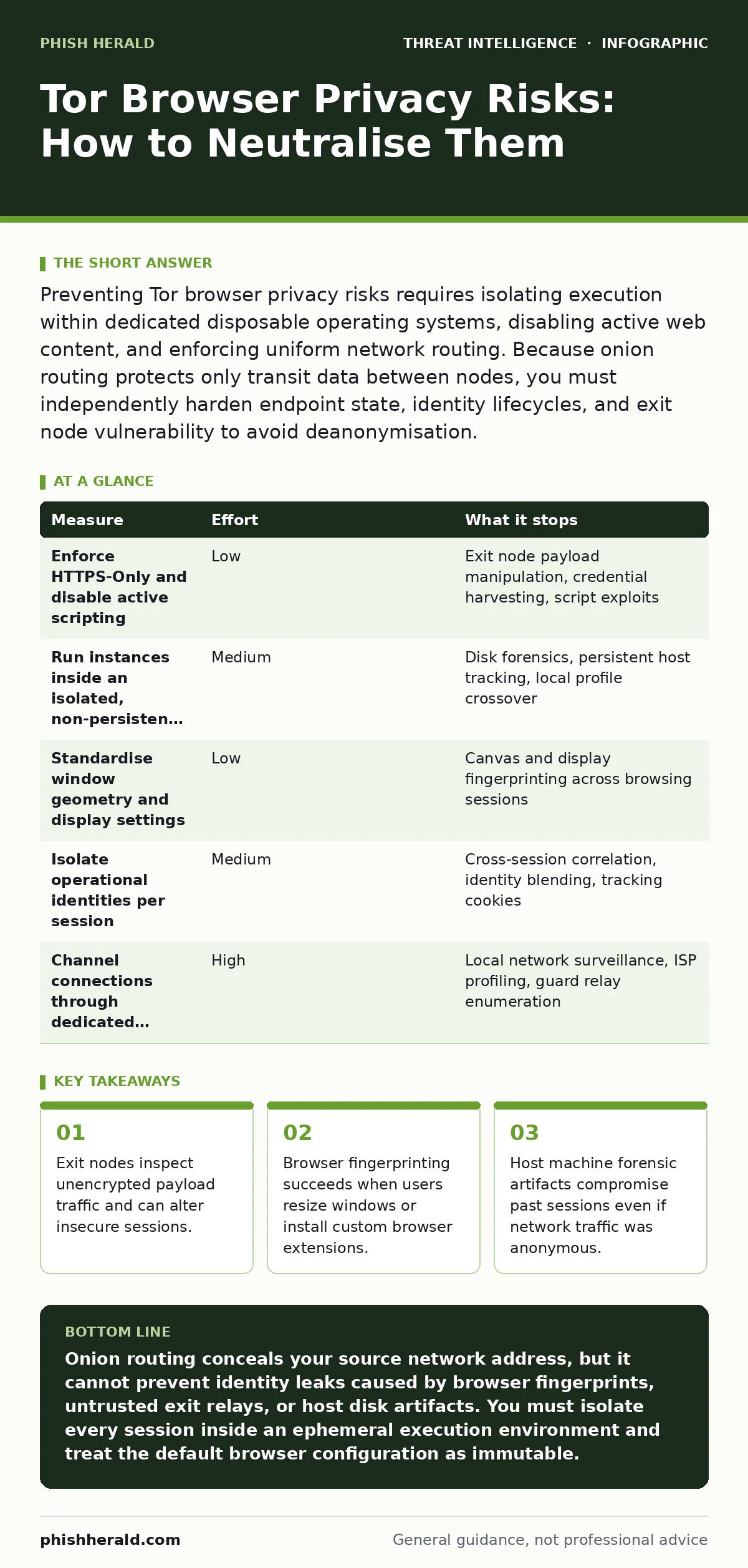
Preventing Tor browser privacy risks requires isolating execution within dedicated disposable operating systems, disabling active web content, and enforcing uniform network routing. Because onion routing protects only transit data between nodes, you must independently harden endpoint state, identity lifecycles, and exit node vulnerability to avoid deanonymisation.
How Tor Browser Privacy Fails in Corporate Networks
Network anonymity tools alter the path of network packets, but they do not alter the data inside unencrypted payloads. Onion routing wraps data in layered encryption, passing traffic through 3 volunteer relays: the guard relay, the middle relay, and the exit relay. The guard node knows your network address, while the exit node decrypts the outer wrapper to transmit traffic to the destination server.
Threat actors sitting at the final relay observe all unencrypted protocols. If an analyst enters credentials over an unencrypted connection, the exit node operator harvests those credentials immediately. Network security monitoring tools tracking attacker reconnaissance must scrutinise unexpected local onion circuits, because malicious actors use the same mechanisms to hide data exfiltration paths across standard web ports.
Rank-Ordered Defences Against Circuit and Endpoint De-anonymisation
| Measure | Effort | What it stops |
|---|---|---|
| Enforce HTTPS-Only and disable active scripting | Low | Exit node payload manipulation, credential harvesting, script exploits |
| Run instances inside an isolated, non-persistent OS | Medium | Disk forensics, persistent host tracking, local profile crossover |
| Standardise window geometry and display settings | Low | Canvas and display fingerprinting across browsing sessions |
| Isolate operational identities per session | Medium | Cross-session correlation, identity blending, tracking cookies |
| Channel connections through dedicated private bridges | High | Local network surveillance, ISP profiling, guard relay enumeration |
Immediate Wins to Eliminate Browser Fingerprinting
Browser fingerprinting collects hardware attributes, screen resolutions, and system fonts to single out individual devices without relying on traditional tracking cookies. Default configurations resist this by enforcing identical canvas outputs and font availability across all users. Modifying the browser interface breaks this protection instantly by making your deployment unique.
Keep the browser display window at its default dimensions upon launch. Maximising the window leaks your exact monitor resolution, desktop scaling factor, and operating system window borders. Leave extension stores untouched, because installing a single custom add-on gives adversaries an unmistakable, distinct profile during tracking operations.
Hardening the Transport Layer Against Untrusted Exit Nodes
The exit node represents the structural weak point of onion networks because traffic leaves the encrypted circuit at this stage. Untrusted operators capture plain text, manipulate response headers, and inject tracking tokens into downloads. Unwary users assume that onion encapsulation guarantees complete confidentiality across the whole path, yet protection ends abruptly at the exit node.
Force strict transport layer security across every connection to protect the payload beyond the exit relay. When an internal researcher monitors external threat feeds, they should cross-check indicators of compromise without exposing internal source IPs. Never bypass certificate validation prompts, as malicious exit relays frequently present self-signed certificates to execute on-path inspection attacks against targeted traffic streams.
Isolating Identities to Block Cross-Contamination
Operating system crossover occurs when users research threats using an anonymous session while logged into personal or corporate accounts on the same machine. Background services continually broadcast hostnames, internal Active Directory domain details, and authentication tokens across local network sockets. An investigator might accidentally expose these background identifiers to external surveillance points while browsing.
Rely on clean, segregated operational identities for every discrete investigation task. A single shared clipboard or shared download folder allows document metadata, operating system account names, and enterprise identifiers to leak out. Investigators tracking malicious persistence through the Unified Kill Chain must maintain absolute separation between standard corporate activities and external research sessions to prevent targeted counter-intelligence tracking.
See also: Attacker Reconnaissance Myths: What Your Defenders Actually See · Purple Teaming Misconceptions: Fix Your Security Testing Strategy
Mitigating Memory Leaks and Host Artifacts
Disk artifacts betray past research activities even when the network layer maintained full anonymity throughout the session. The host machine logs process execution histories, DNS resolution caches, temporary swap files, and thumbnail caches of downloaded files. Traditional storage devices retain these traces indefinitely unless the system purges physical memory during system shutdown.
Execute all non-attributed web sessions inside a clean virtual environment or an ephemeral operating system that runs entirely from random-access memory. When the virtual container shuts down, all session keys, browser caches, and process artifacts disappear from the machine. This step safeguards internal investigators against local endpoint telemetry tools discovering proprietary investigative materials during internal audits.
What Does Not Work When Hardening Onion Routing
Certain widely promoted security techniques degrade privacy instead of improving it. Adding conventional browser extensions introduces non-standard code signatures, expanding your attack surface and making you visible across global website networks. The default browser build is deliberately constrained to ensure every user appears completely identical to profiling engines.
Relying on residential commercial proxies upstream will not neutralise operational security mistakes. If you download a document containing external web beacons, the external network will ping home outside the protected circuit the moment the operating system opens it. Disabling local security logs on the host workstation does nothing to prevent network-level correlation attacks, while depriving defensive systems of the data required to detect intrusions.
Action Plan for Securing Anonymous Workflows
- Lock down browser defaults by disabling external media streaming extensions and enforcing strict security settings.
- Direct all external threat research workloads into disposable, RAM-only execution environments to clear persistent host state.
- Enforce standard operating procedures that prohibit signing into identity-linked enterprise accounts during active investigative sessions.
Key takeaways
- Exit nodes inspect unencrypted payload traffic and can alter insecure sessions.
- Browser fingerprinting succeeds when users resize windows or install custom browser extensions.
- Host machine forensic artifacts compromise past sessions even if network traffic was anonymous.
Onion routing conceals your source network address, but it cannot prevent identity leaks caused by browser fingerprints, untrusted exit relays, or host disk artifacts. You must isolate every session inside an ephemeral execution environment and treat the default browser configuration as immutable.
Frequently asked questions
Does using Tor Browser hide my activities from my internet service provider?
Your service provider can see that you are sending encrypted traffic to a relay node, but they cannot view the contents or your eventual destination. Using non-public bridge relays hides the fact that you are connecting to an anonymity network at all.
Can an untrusted exit node read my passwords?
An exit node can capture your credentials if the connection to the destination server uses an unencrypted protocol. When you connect via secure transport layer security, the exit node sees only the destination host domain, keeping the payload and passwords encrypted.
Why should I avoid installing extensions on Tor Browser?
Installing custom extensions creates a unique software signature that analytics scripts easily differentiate from other users. The browser relies on a uniform software footprint across all users to blend your activity into the broader crowd.
Is downloading files safe during an anonymous browsing session?
Downloading files introduces extreme deanonymisation risks because embedded scripts and macros can bypass the browser proxy entirely to ping remote servers. Never open downloaded documents while the underlying operating system remains connected to a standard network interface.
How this guide was produced: written by the Phish Herald editorial team with AI assistance, checked against the public references listed below, and reviewed when the facts change. See our editorial policy or report an error.