Database Activity Monitoring Checklist: Detect Threats Before Breach
Most database activity monitoring fails because teams configure alerts for every query, creating noise that hides the actual theft of sensitive records.

Database activity monitoring requires a baseline of normal behaviour before alerting. Configure it to watch for unusual query patterns, not just login attempts. Verify that it covers all access vectors, including application accounts and direct connections, to stop data exfiltration early.
Defining the Monitoring Boundary
You cannot protect what you do not see. Database activity monitoring relies on capturing traffic between applications and the database engine. If your monitoring tool sits only at the network perimeter, it misses internal lateral movement. You must place sensors where the data actually moves. This includes connections from application servers, administrative workstations, and backup systems.
Imagine a developer connects directly to a production database from their laptop. A perimeter-only monitor sees this as trusted internal traffic. A host-based or inline sensor sees the specific queries running. You need visibility into both the source of the connection and the content of the request. This dual view prevents blind spots in your defence.
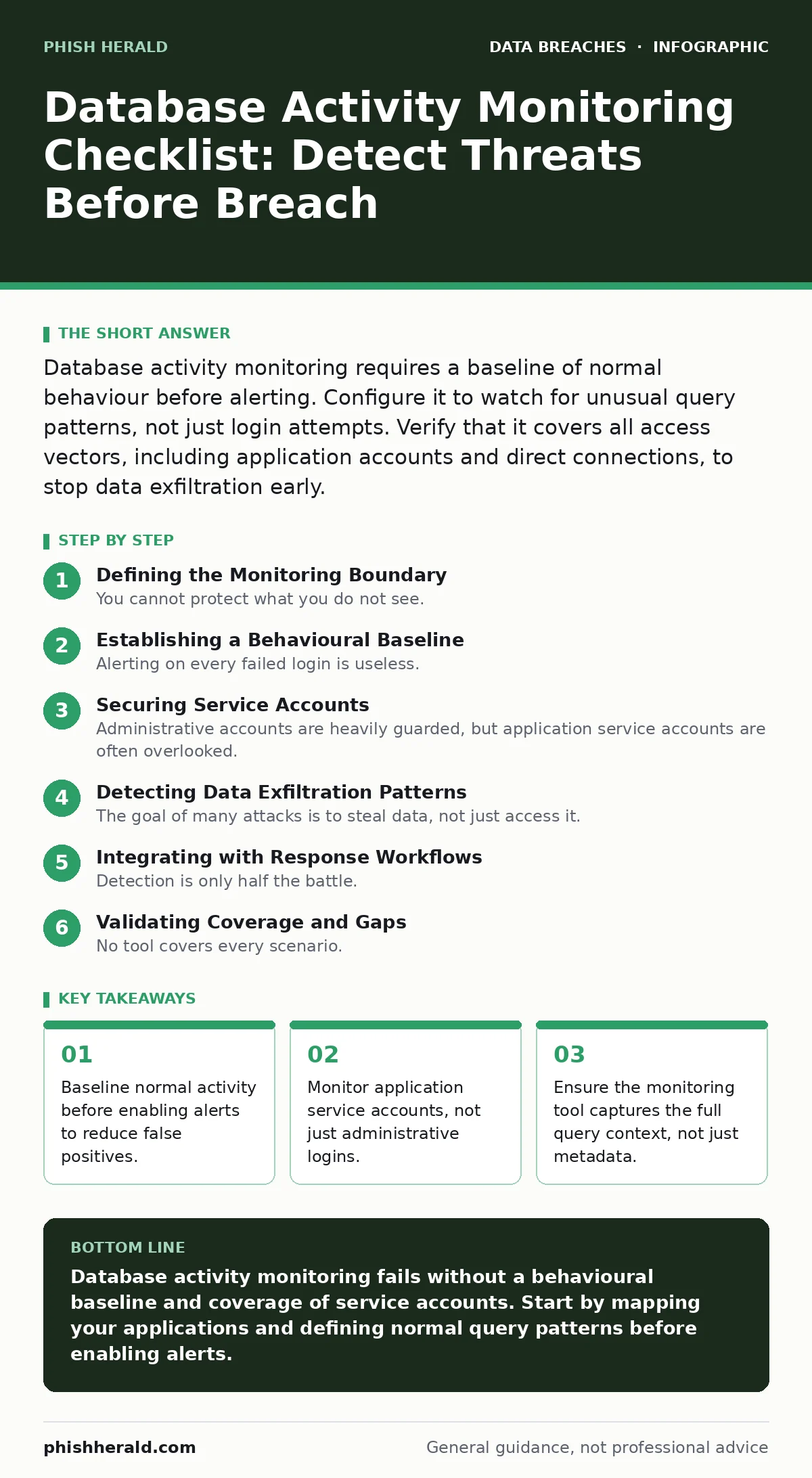
Establishing a Behavioural Baseline
Alerting on every failed login is useless. Modern attackers use valid credentials, so authentication failures alone do not signal a breach. You must define what normal looks for each user and application. This baseline includes typical query volumes, time of day, and data volume accessed. Once established, the system flags deviations from this pattern.
For example, a payroll application usually queries employee records during business hours. If it suddenly exports the entire table at midnight, the baseline detects this anomaly. Without a baseline, you drown in alerts for routine maintenance tasks. The cost of building this baseline is time, but the reward is signal clarity. You trade initial effort for long-term operational sanity.
Securing Service Accounts
Administrative accounts are heavily guarded, but application service accounts are often overlooked. These accounts run the code that your users interact with. Attackers target them because they have legitimate access to large datasets. If an attacker compromises an application server, they inherit the privileges of its database service account.
You must monitor these accounts with the same rigour as human admins. Check for queries that fall outside the application’s normal function. A web app that only reads user profiles should not be updating financial records. This separation of duties limits the damage of a compromised server. It also helps you meet requirements for handling protected health information by ensuring only authorised processes touch sensitive records.
Detecting Data Exfiltration Patterns
The goal of many attacks is to steal data, not just access it. Monitoring for large data transfers is a standard practice, but it is not enough. Attackers often exfiltrate data in small, slow chunks to avoid detection. This technique, known as low-and-slow exfiltration, blends in with normal traffic.
You need to monitor for query patterns that suggest reconnaissance. These include counting rows, listing table names, or exporting schema information. Such queries often precede the actual theft. By catching the reconnaissance phase, you can block the attack before significant data leaves. This approach complements strategies for preventing accidental data disclosure, as it identifies intentional misuse of access rights.
Integrating with Response Workflows
Detection is only half the battle. When an alert fires, someone must act. If your monitoring tool sits in isolation, response times lag. Integrate alerts with your incident response platform. This ensures that security teams receive context-rich notifications immediately.
The alert should include the user, the query, and the data accessed. This context reduces the time needed to triage the incident. It also helps determine if the activity is malicious or a misconfigured script. Quick triage prevents alert fatigue, where teams ignore warnings due to volume. For deeper analysis of how attackers use stolen credentials, review our guide on password hashing and salting to ensure your stored credentials remain secure even if accessed.
See also: Identity Theft Protection: Answers to Critical Security Questions
Validating Coverage and Gaps
No tool covers every scenario. You must regularly test your monitoring setup. Create a controlled test environment that mirrors production. Run benign queries that should trigger alerts. Run malicious queries that should be blocked. If the system misses these tests, your production environment is vulnerable.
Check for gaps in coverage. Are temporary databases monitored? Are read-only replicas included? Attackers often pivot to less monitored systems to steal data. Ensure your monitoring extends to all storage locations. This diligence is particularly relevant when considering third-party data breaches, as vendors may have access to your data through shared database links.
Maintaining Alert Hygiene
Alert fatigue leads to missed incidents. You must refine your rules regularly. Disable alerts that fire too frequently without cause. Tune thresholds to reflect actual usage patterns. This maintenance is ongoing, not a one-time task.
Review false positives weekly. Each false positive represents a rule that needs adjustment. Over time, your monitoring becomes sharper and more accurate. This process reduces the cognitive load on your team. It also ensures that when a real threat appears, it stands out clearly. For physical security concerns, remember that full disk encryption protects data at rest, but activity monitoring protects it in use.
Key takeaways
- Baseline normal activity before enabling alerts to reduce false positives.
- Monitor application service accounts, not just administrative logins.
- Ensure the monitoring tool captures the full query context, not just metadata.
Database activity monitoring fails without a behavioural baseline and coverage of service accounts. Start by mapping your applications and defining normal query patterns before enabling alerts.
Frequently asked questions
Does database activity monitoring replace firewalls?
No. Firewalls control network access, while activity monitoring inspects the content of database queries. You need both to stop network intrusion and internal misuse.
Can monitoring slow down database performance?
Yes, if configured poorly. Inline sensors can add latency. Host-based agents consume CPU resources. Test performance impact in a staging environment before deploying to production.
How do I handle encrypted database traffic?
You must decrypt traffic at the endpoint or use a proxy that holds the decryption keys. Monitoring encrypted traffic without decryption is impossible, leaving a blind spot.
Is cloud database monitoring different?
The principles are the same, but the implementation differs. Cloud providers offer native logging, but third-party tools often provide better cross-cloud visibility and unified alerting.
How this guide was produced: written by the Phish Herald editorial team with AI assistance, checked against the public references listed below, and reviewed when the facts change. See our editorial policy or report an error.