Sandboxing Best Practices: Stop Evasion Before Execution
Static analysis fails against modern polymorphic threats, making behavioural observation in isolated environments the only reliable detection method.

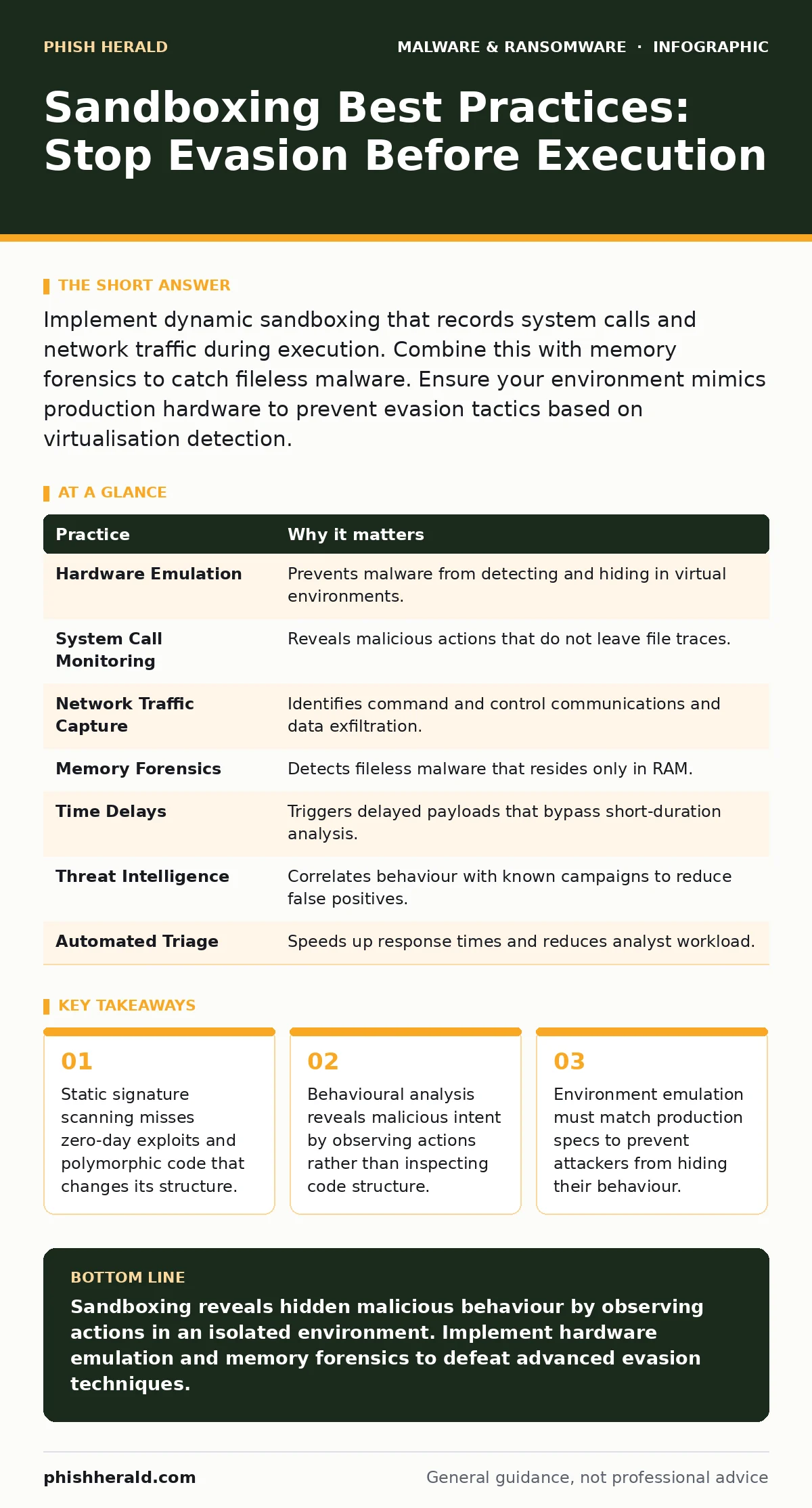
Implement dynamic sandboxing that records system calls and network traffic during execution. Combine this with memory forensics to catch fileless malware. Ensure your environment mimics production hardware to prevent evasion tactics based on virtualisation detection.
The Limits of Signature-Based Detection
Traditional antivirus solutions rely on known signatures, which are ineffective against new or modified malware. Attackers frequently alter their code structure, a process known as polymorphism, to bypass these static checks. This means a file can be malicious even if it has never been seen before. You need a method that observes what code does, not just what it looks like. Sandboxing provides this by executing files in a controlled, isolated environment. This allows you to see the true behaviour of a threat without risking your production systems.
1. Emulate Production Hardware Exactly
Attackers design malware to detect virtualisation artifacts, such as specific CPU flags or disk geometry. If the sandbox feels artificial, the malware may remain dormant or execute a benign payload. This is a common evasion technique that renders standard sandboxes useless. You must configure your sandbox to mirror the exact hardware and operating system versions used in your enterprise. This includes matching the number of cores, RAM size, and installed drivers.
2. Monitor System Calls and Registry Changes
Malware communicates with the operating system through system calls, which are requests for services from the kernel. By logging these calls, you can identify suspicious patterns, such as a document trying to execute a script. Registry changes are another key indicator of persistence mechanisms. If a file modifies startup keys, it is likely attempting to survive a reboot. Focus on high-privilege actions that normal applications rarely perform. This behavioural data is more reliable than file hashes, which can be easily altered.
3. Capture Network Traffic in Detail
Many modern threats rely on command and control channels to receive instructions or exfiltrate data. You must capture all network traffic generated by the sandboxed sample, including DNS queries and HTTP headers. Look for connections to unusual ports or domains with high entropy, which often indicate algorithmically generated names. This helps you identify the infrastructure behind an attack, even if the initial payload is small. Do not ignore local network traffic, as lateral movement tools may scan for other hosts.
4. Analyse Memory Residency
Fileless malware operates entirely in memory, leaving no traces on the disk. Traditional sandboxes that only inspect files will miss these threats completely. You must perform memory forensics to capture the state of RAM during execution. This reveals injected code, unpacked payloads, and encryption keys that exist only in volatile memory. Tools that dump and analyse process memory are necessary to catch these sophisticated attacks. Without this step, your visibility is limited to what the malware chooses to write to disk.
See also: Indicators of compromise: how to detect hidden threats
5. Use Time-Based Execution Delays
Some malware includes timers that delay execution until a specific condition is met. This allows the threat to bypass short-duration sandboxes that shut down quickly. You should configure your sandbox to run samples for an extended period, or accelerate time artificially. This ensures that delayed payloads, such as those waiting for a specific day of the week, are triggered and observed. Do not assume a file is safe simply because it appears inactive for the first few minutes.
6. Integrate with Threat Intelligence Feeds
Sandboxing generates vast amounts of data that can be overwhelming to analyse manually. Integrating your sandbox with external threat intelligence platforms helps correlate findings with known indicators of compromise. This reduces false positives by confirming whether a behaviour is associated with known threat actors. It also speeds up the classification of new threats by matching them to existing campaigns. This contextual data transforms raw behavioural logs into actionable security insights.
7. Automate Triage and Response
Manual analysis of every suspicious file is inefficient and slows down response times. You should automate the triage process by setting thresholds for suspicious behaviour. When a sample exceeds these thresholds, the system should automatically block the file and alert your security team. This ensures that high-confidence threats are contained immediately, allowing analysts to focus on complex cases. Automation also reduces the risk of human error in the initial assessment phase.
8. Protect Against Sandbox Evasion
Attackers actively develop techniques to defeat sandboxing, such as detecting mouse movements or keyboard input. You must implement human-interaction simulation to mimic real user behaviour. This includes clicking buttons, scrolling, and typing at random intervals. If the sandbox appears too robotic, sophisticated malware may refuse to execute. Additionally, vary the sandbox environment parameters for each analysis to prevent attackers from fingerprinting your specific setup. This unpredictability makes it harder for threats to adapt to your detection methods.
| Practice | Why it matters |
|---|---|
| Hardware Emulation | Prevents malware from detecting and hiding in virtual environments. |
| System Call Monitoring | Reveals malicious actions that do not leave file traces. |
| Network Traffic Capture | Identifies command and control communications and data exfiltration. |
| Memory Forensics | Detects fileless malware that resides only in RAM. |
| Time Delays | Triggers delayed payloads that bypass short-duration analysis. |
| Threat Intelligence | Correlates behaviour with known campaigns to reduce false positives. |
| Automated Triage | Speeds up response times and reduces analyst workload. |
| Evasion Protection | Ensures robust detection against advanced adversary techniques. |
Complementary Security Layers
Sandboxing is not a standalone solution. It works best when combined with other defensive measures. For instance, browser isolation prevents malicious web content from reaching your endpoints, reducing the initial infection vector. Similarly, protecting against malicious PyPI packages requires scanning dependencies in isolated environments before deployment.
You should also consider the risks of remote access tool abuse, which can bypass perimeter controls entirely. While offline backups are critical for recovery from ransomware, they do not prevent the initial infection. Understanding these layers helps you build a defence in depth that covers multiple attack surfaces.
Conclusion of Practices
Implementing these eight practices creates a robust defence against sophisticated malware. You move beyond simple signature matching to behavioural understanding. This approach catches threats that evolve rapidly and hide their intentions. Remember that no single tool provides complete protection. You must continuously update your sandbox configurations to match the changing tactics of attackers. Regular testing with known malware samples ensures your environment remains effective.
Key takeaways
- Static signature scanning misses zero-day exploits and polymorphic code that changes its structure.
- Behavioural analysis reveals malicious intent by observing actions rather than inspecting code structure.
- Environment emulation must match production specs to prevent attackers from hiding their behaviour.
Sandboxing reveals hidden malicious behaviour by observing actions in an isolated environment. Implement hardware emulation and memory forensics to defeat advanced evasion techniques.
Frequently asked questions
Does sandboxing slow down user experience?
No, sandboxing typically occurs on dedicated servers or in the cloud, keeping the analysis separate from user devices.
Can sandboxing detect all types of malware?
It detects most behavioural threats, but highly targeted attacks that require specific user interaction may still evade detection.
How often should I update my sandbox environment?
Update regularly to match production changes and patch vulnerabilities in the sandbox software itself.
Is cloud-based sandboxing safe for sensitive data?
Ensure your provider encrypts data in transit and at rest, and complies with relevant data privacy regulations.
How this guide was produced: written by the Phish Herald editorial team with AI assistance, checked against the public references listed below, and reviewed when the facts change. See our editorial policy or report an error.