How Password Managers Work: The Cryptography Behind Secure Storage
Your password manager does not store your secrets; it stores encrypted data that only your master key can unlock, meaning the vendor cannot recover them if you forget them.
Password managers use a zero-knowledge architecture. Your master password generates a cryptographic key that encrypts your vault locally. This encrypted blob is then stored on remote servers. Without your master password, the data remains mathematically indecipherable to anyone, including the service provider.
The Local Key Derivation Process
When you enter your master password, the application does not immediately contact the server. It first performs a computationally intensive operation locally. This step is designed to slow down attackers who might steal your encrypted vault and attempt to guess your password.
The application uses a key derivation function, such as Argon2 or PBKDF2. These functions mix your master password with a random value called a salt. The result is a cryptographic key that is unique to your account. This process takes time, which adds no friction to your daily use but significantly increases the cost for an attacker trying to brute-force the key.
The salt is stored alongside your encrypted data. It prevents attackers from using pre-computed tables to reverse-engineer common passwords. Without the correct salt, the same master password would produce different keys, breaking the utility of rainbow tables.
Generating the Vault Encryption Key
Once the key derivation function completes, the application holds your master key in memory. It then uses this key to derive the actual encryption key for your vault. This separation ensures that even if an attacker compromises the derived key, they still face the barrier of the slow derivation function.
The encryption standard used is typically AES-256. This is a symmetric encryption algorithm, meaning the same key encrypts and decrypts the data. The application generates a random initialization vector to ensure that identical passwords stored in different fields produce different ciphertext. This prevents pattern analysis that could reveal sensitive data structures.
Your vault data, including passwords, notes, and credit card details, is then encrypted using this key. The result is a large block of seemingly random characters. This block is what is known as the ciphertext. It contains no readable information without the specific encryption key.
Transmitting the Encrypted Vault
The application now sends this ciphertext to the remote server. Crucially, it does not send the encryption key. The key remains in your device's memory and is never transmitted over the network. This is the core of the zero-knowledge architecture.
The transmission occurs over a secure channel, usually TLS. This protects the ciphertext from being intercepted or modified in transit. However, TLS only protects the data while it moves. Once it reaches the server, it is stored as an encrypted blob.
The server assigns a unique identifier to your vault and stores it in a database. It does not know what is inside. It cannot read your passwords, nor can it change them. If you request a password change, the application decrypts the vault locally, makes the change, re-encrypts it, and sends the new ciphertext. The server simply swaps the old blob for the new one.
The Authentication Handshake
When you log in from a new device, the server does not know your password. It only knows your username and the encrypted vault blob. The application on your new device must repeat the key derivation process.
You enter your master password. The device derives the key and attempts to decrypt the vault blob received from the server. If the decryption fails, the application reports an error. It does not tell you whether the password was wrong or the vault was corrupted, to prevent enumeration attacks.
This mechanism means the server cannot lock you out for too many failed attempts in the traditional sense. It cannot verify the password before you enter it. This creates a trade-off between security and usability, as discussed in our guide on account lockout policies.
Limits of the Zero-Knowledge Model
The security of this model collapses if your master password is weak. Because the vendor cannot reset your password, there is no safety net. If you forget your master password, your data is lost forever. This is a deliberate design choice to prevent insider threats and server-side breaches.
The application must keep the encryption key in memory while you are logged in. This makes the device itself the most vulnerable point. If malware infects your computer, it can scan the memory for the key. This is why endpoint security is as critical as the password manager itself.
Furthermore, the convenience of auto-filling passwords can expose you to adversary-in-the-middle phishing. If a malicious site mimics a legitimate login form, the password manager may fill in your credentials, believing the site is trusted. The cryptography is sound, but the user interface can be tricked.
The Table of Attack Vectors
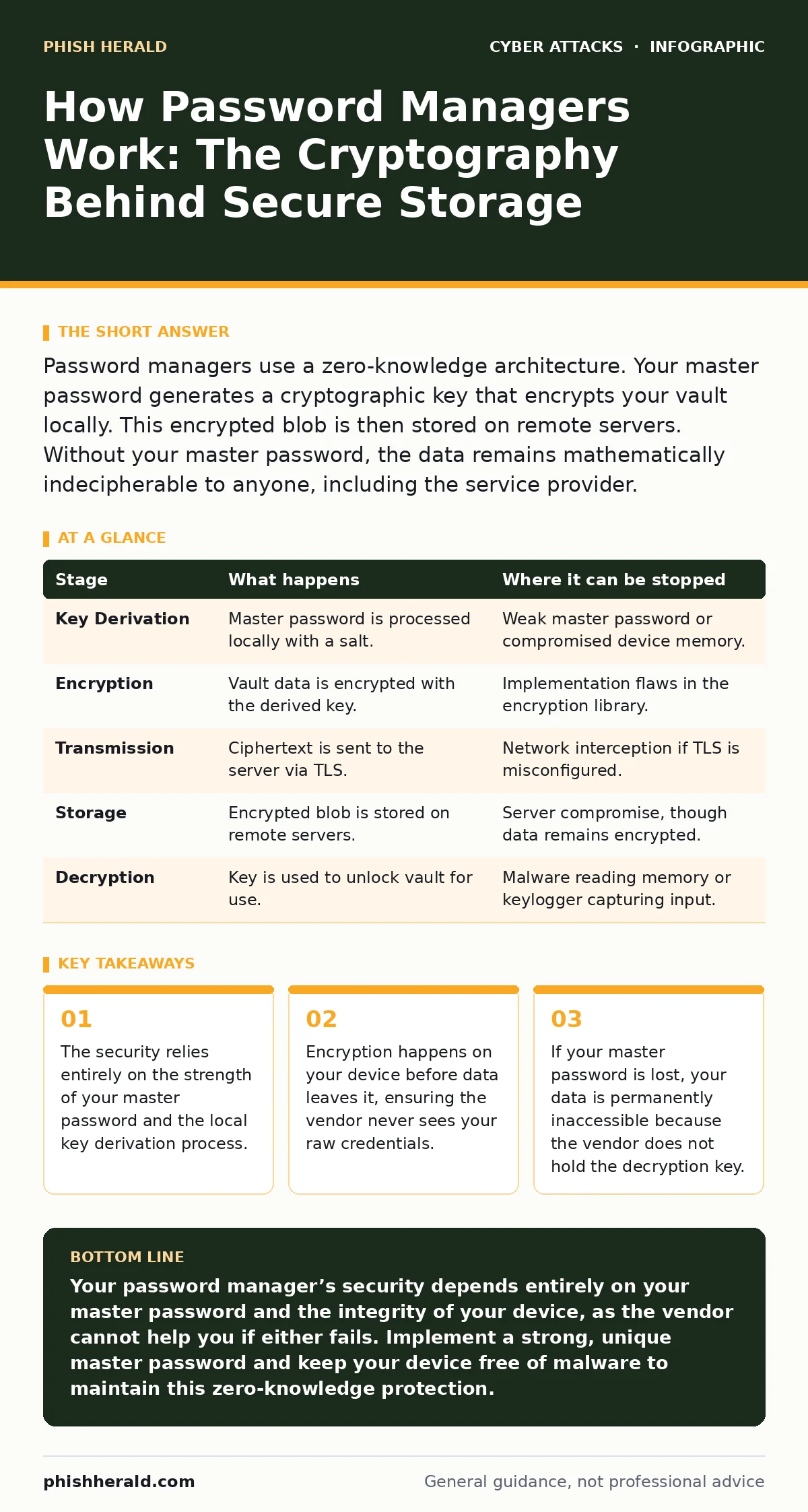
Understanding where the chain breaks helps you prioritise your defences. The following table outlines the stages of operation and their specific vulnerabilities.
| Stage | What happens | Where it can be stopped |
|---|---|---|
| Key Derivation | Master password is processed locally with a salt. | Weak master password or compromised device memory. |
| Encryption | Vault data is encrypted with the derived key. | Implementation flaws in the encryption library. |
| Transmission | Ciphertext is sent to the server via TLS. | Network interception if TLS is misconfigured. |
| Storage | Encrypted blob is stored on remote servers. | Server compromise, though data remains encrypted. |
| Decryption | Key is used to unlock vault for use. | Malware reading memory or keylogger capturing input. |
Handling Password Resets and Recovery
Most users assume they can recover their account via email if they forget their master password. In a true zero-knowledge system, this is impossible. The vendor does not have the means to decrypt your vault.
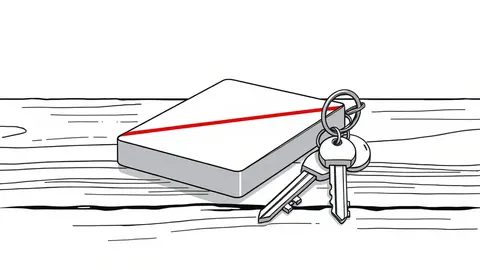
Some providers offer a "recovery kit," which is a printed copy of your encryption key. This is a physical backup of the digital key. If you lose your master password, you can use this kit to restore access. However, if you lose the kit, your data is gone.
This contrasts with standard web services, which can reset your password because they store a hash of it. Here, the vendor stores only the ciphertext. This architectural difference is fundamental to understanding the risk profile.
Integration with Modern Authentication
Password managers are increasingly used to store tokens for multi-factor authentication. This adds another layer of complexity. The manager must securely store time-based one-time passwords without exposing them to the same memory risks as the encryption key.
Some managers integrate with OAuth consent phishing protections by validating the domain before auto-filling. This reduces the risk of sending credentials to a fake site. However, sophisticated attacks can still bypass these checks if the user manually overrides warnings.
The rise of cybercrime-as-a-service means attackers have easy access to tools that can exploit misconfigured password managers. Keeping your application updated is not just about features; it is about closing known cryptographic vulnerabilities.
The Human Element in Security
The technology is only as strong as the user's behaviour. Reusing the master password across other sites is a catastrophic error. If that password is leaked elsewhere, your entire vault is compromised.
The master password must be long and unique. It should not be a phrase you use anywhere else. Because there is no reset mechanism, the cost of a breach is total loss of access.
Regularly auditing your vault for reused passwords or weak entries is necessary. The manager can often flag these for you. This process turns the tool from a simple storage box into an active security monitor.
The interaction between password managers and initial access vectors is critical. If an attacker gains access to your device, the encrypted vault is useless to them without the key in memory. This is why locking your screen is as important as locking your vault.
For those concerned about sophisticated threats, understanding zero-click attacks reveals that even the best password manager cannot protect against an exploit that executes code without user interaction. The defence must be layered, starting with the device itself.
Key takeaways
- The security relies entirely on the strength of your master password and the local key derivation process.
- Encryption happens on your device before data leaves it, ensuring the vendor never sees your raw credentials.
- If your master password is lost, your data is permanently inaccessible because the vendor does not hold the decryption key.
Your password manager’s security depends entirely on your master password and the integrity of your device, as the vendor cannot help you if either fails. Implement a strong, unique master password and keep your device free of malware to maintain this zero-knowledge protection.
Frequently asked questions
Can the password manager company read my passwords?
No, in a zero-knowledge architecture, the company only stores encrypted data. They do not have the encryption key required to read your information.
What happens if I forget my master password?
You will lose access to your vault permanently. The vendor cannot reset it because they do not know your password or hold the decryption key.
Is my data safe if the server is hacked?
Yes, the attackers would only steal encrypted blobs. Without your master password, they cannot decrypt the data to read your credentials.
Do password managers protect against phishing?
They can help by refusing to fill credentials on mismatched domains, but they do not prevent all phishing, especially if you manually override warnings.
How this guide was produced: written by the Phish Herald editorial team with AI assistance, checked against the public references listed below, and reviewed when the facts change. See our editorial policy or report an error.